
Every learner, class and fee in one system.
Admissions, classes, CBE report cards, fees, transport and payroll in one system built for Kenyan schools. Parents see balances, attendance and results on their phones and pay with M-Pesa, so the office stops chasing paper.
- Modules
- 16
- Features
- 218
- Login
- 1
- Fee balances live in one bookA parent asks what they owe and someone digs through receipts and M-Pesa messages.
- Report cards take a fortnightRubrics go into Excel, then get copied by hand into a report card for every learner.
- Registers are on paperBy 9am nobody in the office can say who is absent or who got off the bus.
- Parents hear news lastNotices go into WhatsApp groups where half the parents never scroll up to read them.
Your school deserves better.
A learner management system parents can use.
Sixteen modules on one database, from admissions to payroll, so a learner admitted today has a class, a timetable, a fee account and a parent login before the first lesson, and every mark, payment and absence lands on one record. Click any item in the menu below to open that part of the school's dashboard.
Try it: open a module from the menu, click a record, filter the list, or press Admit learner and save.
- Academics
- Finance
- Operations
- People
No records match.
New dashboard
No records match.
Grade 8 Blue · Adm. no. 3318 · UPI B7QK2M · Day scholar
- Date of birth
- 14 Mar 2013, birth cert. 4471902
- Guardian
- Grace Kamau (mother), 0722 *** 418
- Second contact
- Peter Kamau (father), 0711 *** 205
- Pick-up list
- Grace, Peter, driver Joseph Ndirangu
- Admitted
- 9 Jan 2020 into Grade 2
- House
- Simba House
- Medical note
- Mild asthma, inhaler kept at the clinic
- Sibling
- Tumaini Kamau, Grade 5 Red
- Guardian details confirmed by Grace Kamau in the parent app
- Driver Joseph Ndirangu added to the pick-up list by the front office
- Asthma action plan uploaded by the school nurse
- Term 3 enrolment confirmed in Grade 8 Blue
Admit learner
No records match.
Tuesday, period 1 · Room 8B · Junior School
- Teacher
- Mr Peter Njoroge
- Learners
- 41 in Grade 8 Blue
- Room
- Room 8B, Block C
- Strand this week
- Algebra: linear equations
- Lesson plan
- Submitted 5 Oct, approved by HOD
- Register
- 38 present, 3 absent, marked 8:07
- Lessons per week
- 5 Mathematics lessons
- Next lesson
- Thursday, 10:50 to 11:30
- Lesson started in Room 8B
- Morning register marked: 38 present, 3 absent
- Lesson plan on linear equations approved by Mrs Otieno, HOD Mathematics
- Lesson plan submitted by Mr Njoroge
- Term 3 timetable published with 5 Mathematics lessons a week
Publish timetable
No records match.
Tuesday 6 Oct 2026 · Morning register · Upper Primary
- Class teacher
- Mrs Lilian Achola
- Present
- 36 of 37
- Absent
- Kevin Mwangi, sick note received
- Late arrivals
- Baraka Kiptoo, 8:12am
- Parent SMS
- 1 sent at 8:05am
- Term 3 attendance
- 96.4% for the class
- Marked from
- Teacher's phone, Room 4G
- Sick note from Kevin Mwangi's mother uploaded, absence marked as excused
- Baraka Kiptoo signed in late at the gate
- Absence SMS sent to Kevin Mwangi's mother
- Register marked by Mrs Achola: 36 of 37 present
Mark register
No records match.
Grade 8 Blue · Mathematics · Term 3 2026 · Adm. no. 3318
- Learning area
- Mathematics
- Strand
- Algebra
- Sub-strand
- Linear equations
- Level
- EE1, exceeding expectations
- Assessed by
- Mr Peter Njoroge
- Task
- Word problems on market prices
- Evidence
- Worked solutions, 2 photos in portfolio
- Competency
- Critical thinking and problem solving
- Level EE1 recorded by Mr Njoroge for linear equations
- Two photos of worked solutions added to the portfolio
- Formative task set: word problems on market prices
- Level ME1 recorded for algebraic expressions
- Term 3 strands for Grade 8 Mathematics opened
Record levels
No records match.
Form 4 · Mock 2026 · Papers 1 and 2 · 132 candidates
- Teacher
- Mr Paul Ochieng
- Candidates
- 132 in 3 streams
- Mean score
- 46.2, up 0.6 on the Term 2 exam
- Mean grade
- C
- Top stream
- Form 4 East, mean 51.4
- Grades A to B+
- 18 candidates
- Below D
- 27 candidates, list sent to the HOD
- Marks locked
- 2 Oct, 17:00 by the exams office
- Subject analysis shared with the HOD Mathematics and the principal
- Marks locked by the exams office; changes now need approval
- Paper 2 marks entered for all 132 candidates
- Paper 1 marks entered for all 132 candidates
- Mock 2026 series opened with Mathematics Papers 1 and 2
Enter marks
No records match.
Mathematics · Grade 8 Blue · Set 5 Oct, due Wednesday 7 Oct
- Teacher
- Mr Peter Njoroge
- Sub-strand
- Algebra: linear equations
- Task
- Textbook page 64, questions 1 to 12
- Due
- Wednesday 7 Oct, 4:00pm
- Submitted
- 31 of 41, as photos of working
- Marked
- 18 of 31, with comments
- Not yet in
- 10 learners, parents reminded
- Parent view
- Shown in the parent app
- Mr Njoroge marked 18 submissions with comments
- Reminder sent to parents of the 10 learners not yet in
- Wanjiku Kamau submitted 3 photos of her working
- Homework set for Grade 8 Blue, due 7 Oct at 4:00pm
Set homework
No records match.
Fathers of Nations · Copy LB-004218 · Set book shelf
- Borrower
- Brian Ouma, Form 3 East, adm. 2956
- Issued
- 18 Sep by Mrs Gathoni, librarian
- Due
- 2 Oct, now 4 days overdue
- Fine so far
- KES 40 at KES 10 a day
- Copy condition
- Good, checked at issue
- Copies on shelf
- 12 of 40
- Reserved by
- Lucy Wambui, Form 3 West
- Overdue reminder sent to Brian Ouma and his parent by SMS
- First overdue reminder sent; fine of KES 10 a day started
- Due tomorrow reminder sent to Brian Ouma
- Copy reserved by Lucy Wambui, Form 3 West
- Issued to Brian Ouma by Mrs Gathoni, barcode scanned
Issue book
No records match.
Grade 8 Blue · Adm. no. 3981 · Day scholar
- Parent
- Grace Kamau, 0722 *** 418
- Fee plan
- Termly, sibling discount 5%
- Term 3 billed
- KES 68,500
- Paid
- KES 68,500 in 2 payments
- Last payment
- 2 Oct, M-Pesa UJ2K8P4QXA
- Paybill account
- 3981
- Sibling
- Tumaini Kamau, Grade 5 Red
- KES 34,250 paid by M-Pesa and matched to adm. no. 3981
- Receipt RCT-3981-02 sent to Grace Kamau by SMS
- KES 34,250 paid by M-Pesa, receipt RCT-3981-01
- Term 3 invoice issued: KES 68,500 after 5% sibling discount
Record payment
No records match.
Government bursary · Cheque received 24 Sep · 14 learners
- Fund
- NG-CDF, Dagoretti North
- Financial year
- 2026/27, first disbursement
- Cheque
- No. 004517, KES 420,000
- Received
- 24 Sep, banked 25 Sep
- Learners
- 14 in Forms 1 to 4
- Per learner
- KES 30,000 each
- Allocated
- 30 Sep by the bursar, Mr Kirui
- Acknowledgement
- Due to the fund office by 15 Oct
- Acknowledgement letter with the 14 learners' new balances drafted
- KES 30,000 allocated to each of the 14 learners' fee accounts
- Cheque 004517 banked
- Cheque for KES 420,000 received from the NG-CDF office
- 14 bursary application forms stamped and returned to parents
New award
No records match.
Vote head 01 · Financial year Jan to Dec 2026 · Recurrent
- Annual budget
- KES 98,600,000
- Spent to 30 Sep
- KES 73,950,000
- Used
- 75%, with 9 of 12 months gone
- Monthly payroll
- KES 8.2M for 214 staff
- Deductions held
- PAYE, SHA, NSSF and Housing Levy
- Budget holder
- Mrs Wangari, bursar
- Approved by
- Board of Management, 12 Dec 2025
- Budget against actual for July to September sent to the board finance committee
- September payroll of KES 8.2M posted to this vote head
- August PAYE, SHA, NSSF and Housing Levy paid
- Term 3 relief teacher allowances added: KES 186,000
New requisition
No records match.
Route 3, Lavington and Kileleshwa · 41-seat bus · Morning run
- Driver
- John Mutua, PSV badge valid
- Minder
- Mrs Rose Kemunto
- On board today
- 31 of 33, 2 marked absent
- Arrived
- 7:24am at the main gate
- Speed governor
- Certificate valid to 14 Mar 2027
- Insurance
- PSV cover valid to 31 Jan 2027
- Next service
- At 84,000 km, 1,240 km away
- Arrived at the main gate; 31 learners checked off by the minder
- 2 learners not at their stops; their parents told by SMS
- Morning run started; pick-up SMS sent as each learner boarded
- Refuelled: 62 litres of diesel, KES 11,100, receipt attached
Assign learner
No records match.
Boys' boarding · Block A, 2 floors · Forms 1 to 4
- Dorm master
- Mr Kiprotich
- Dorm captain
- Brian Ouma, Form 3 East
- Beds
- 62 of 64 taken, A-31 and A-58 free
- Last roll call
- Tue 6 Oct, 9:30pm: 62 of 62
- Exeats this term
- 9 approved, all returned
- Visiting day
- Sun 11 Oct, 10am to 4pm
- Inspection
- 2 Oct, clean and in order
- Night roll call: 62 of 62 present, taken by Mr Kiprotich
- Morning roll call: 62 of 62 present
- Victor Kibet back from exeat, signed in at the gate
- Dorm inspection by the deputy principal: clean and in order
- Bed A-12 given to Collins Omondi after a broken slat was fixed
Allocate bed
No records match.
Grade 5 Red · Adm. no. 3765 · Day scholar · Visit 6 Oct, 10:15
- Complaint
- Headache and fever since morning break
- Temperature
- 38.2°C at 10:15, 37.4°C at 11:30
- Treatment
- Paracetamol 250 mg, rest
- Allergies
- None recorded
- Consent on file
- Yes, signed by her mother on 1 Sep
- Parent
- Mary Chebet, called at 10:25
- Seen by
- Nurse Ruth Nyambura
- Outcome
- Resting, mother collecting at 1pm
- Temperature down to 37.4°C; resting in the sick bay
- Mary Chebet called and sent an SMS; she will collect at 1pm
- Paracetamol 250 mg given and logged against her consent form
- Seen by Nurse Ruth Nyambura: headache and fever, 38.2°C
Log visit
No records match.
Kitchen store · Item code KS-001 · Unit: 90kg bag
- In stock
- 14 bags, about 7 school days
- Daily use
- About 2 bags
- Reorder at
- 10 bags
- Last price
- KES 5,400 a bag
- Main supplier
- Kinangop Grain Traders
- Last received
- 29 Sep, 30 bags on LPO 0391
- Storekeeper
- Mr Gideon Ruto
- 2 bags issued to the kitchen, signed for by the head cook
- 2 bags issued to the kitchen
- Stock-take: 22 bags counted, matching the records
- 30 bags received from Kinangop Grain Traders on LPO 0391
Raise LPO
No records match.
Teacher, Mathematics · Staff no. MH-0142 · Joined January 2019
- TSC registration
- Registered, number on file
- Department
- Mathematics, HOD Mrs Otieno
- Teaching load
- 27 lessons a week, Grades 8 and 9
- Class teacher
- Grade 8 Blue
- Leave balance
- 14 of 24 days left
- October gross
- KES 96,400
- Deductions
- PAYE, SHA, NSSF and Housing Levy
- Net pay
- KES 69,200 by bank transfer
- October pay approved by the principal
- Lesson observation by the HOD: rated good, notes shared
- October payroll drafted with PAYE, SHA, NSSF and Housing Levy
- September payslip sent to his phone
- 2 days' leave approved for 17 and 18 Sep
Run payroll
No records match.
App and SMS · Form 4 parents · Sent 6 Oct, 9:10am by the exams office
- Audience
- Parents of 132 Form 4 candidates
- Message
- Mock results are out. Open the app to view.
- Recipients
- 241 parents and guardians
- SMS delivered
- 238 of 241, 3 wrong numbers
- Read in the app
- 172 of 241, 71%
- Sender ID
- MARULAHILL
- Attachment
- Each learner's Mock 2026 result slip
- Replies
- 9 in the inbox
- App reminder sent to parents who had not opened the message
- 3 wrong numbers sent to the class teachers to correct
- 238 of 241 SMS delivered; 3 failed on wrong numbers
- Sent to 241 parents with each learner's result slip in the app
- Approved by the principal
New message
Dashboard
Fees, enrolment, attendance and the day's activity for the whole school, live: the first screen the bursar and head see each morning.
Learners & admissions
Every learner's record from first application to leaving certificate, with NEMIS details kept up to date.
- Online applicationsParents apply on the school website, upload the birth certificate and past reports, and pick an assessment slot.
- Entrance assessments and interviewsAssessment dates, panels and scores recorded per applicant, with offers sent from the same screen.
- Offer letters and admission feeOffer letters go out by email and SMS, and the admission fee is paid by M-Pesa against the application number.
- Admission numbersNumbers issued in your own format when an offer is accepted, and used as the paybill account from day one.
- NEMIS UPI and birth certificateUPI, birth certificate number and previous school kept per learner, with a list of learners still missing a UPI.
- Guardians and pick-up listParents and guardians with their contacts, plus the people allowed to collect the child, with photos.
- Family accountsSiblings linked under one family, so parents use one login and sibling discounts apply on their own.
- Medical and learning support notesAllergies, conditions and learning support needs flagged to the class teacher, nurse and matron.
- Documents per learnerBirth certificate, past report cards, transfer letters and consent forms stored on the learner record.
- Transfers and leaving certificatesTransfers in and out recorded with reasons; leaving certificates print once fees, books and kit are cleared.
- Learner timelineClass changes, payments, results, clinic visits and discipline notes on one page, with who recorded each.
Classes & timetable
Streams, subjects, teachers and a timetable that never books one teacher into two rooms.
- Grades, forms and streamsPP1 to Grade 10, Form 3 and Form 4 set up as streams, each with a class teacher, room and capacity.
- Senior School pathwaysGrade 10 learners placed in STEM, Social Sciences or Arts and Sports Science, with their subject combinations.
- Subject allocationLearning areas and subjects assigned per stream, with the teacher and the lessons per week for each.
- Timetable builderDraft timetables built around teacher loads, double lessons, labs and games, then adjusted by hand.
- Clash checksA teacher, room or lab can't be booked twice in the same period; clashes show before you publish.
- Cover lessonsWhen a teacher is away, free teachers are suggested for each lesson and told on their phones.
- Rooms and labsScience labs, the computer lab and the hall booked by period, with each booking shown on the timetable.
- Teacher and class viewsEach teacher sees their own week; class timetables print for noticeboards and show in the parent app.
- School calendarTerm dates, exams, sports days and parents' meetings on one calendar shared with staff and parents.
- Year-end promotionWhole streams moved up a grade in one step, with repeaters, leavers and stream changes handled one by one.
Attendance
Registers marked on a phone each morning, with parents told by SMS when a child is missing.
- Registers on a phoneClass teachers mark the morning and afternoon register in under a minute from their phones.
- Lesson attendanceSubject teachers in the secondary section mark attendance per lesson, so missed lessons show up.
- Absence SMS by 9amParents of absent learners get an SMS or app alert once the register closes, with a way to reply.
- Late arrivals and early pick-upsThe gate records late arrivals and early pick-ups, checked against the authorised pick-up list.
- Reasons and sick notesParents give a reason in the app; sick notes are attached and the absence is marked authorised.
- Patterns flaggedLearners absent three days in a fortnight, or every Monday, are flagged to the class teacher and deputy.
- Gate cards where fittedQR or RFID learner cards scanned at the gate feed the register when the school has the readers.
- Attendance on report cardsDays present and absent carried onto the end-of-term report card without retyping.
- Daily summary for the headAttendance by class and section by 9:30am, compared with the same day last term.
Assessments & CBE reports
CBE rubrics recorded per strand in class, and report cards built from them in minutes.
- Strands and sub-strandsEach learning area set up with its strands, sub-strands and learning outcomes for every grade.
- Rubric levelsTeachers record EE, ME, AE or BE per strand, or the finer sub-levels where a grade uses them.
- Levels entered in classTeachers tap a level for each learner on a phone while the lesson runs, instead of filling a book later.
- Portfolio evidencePhotos of models, artwork and written work attached to the strand they show, kept in the learner's portfolio.
- Projects and community serviceJunior School projects and community service learning tracked by group, with each learner's part.
- Core competencies and valuesCommunication, critical thinking, citizenship and the other competencies and values rated each term.
- Report cards in minutesTermly report cards built from the term's entries, with class teacher and head teacher comments.
- Comment bankTeachers pick and edit comments from a bank per level, so 40 report comments don't take a weekend.
- SBA for KNECSchool-based assessment scores for KPSEA and KJSEA candidates prepared in the layout KNEC asks for.
- Learning support listsLearners below expectations in a strand listed for extra lessons, and shown to parents with next steps.
- Progress across yearsA learner's levels per strand across terms and years, so the Grade 9 teacher sees the Grade 7 picture.
Exams & results
Exam series, mark entry, grading and analysis for Form 3, Form 4 and end-of-term papers.
- Exam seriesOpeners, mid-terms, end-terms and mocks set up as series, each with its papers, dates and invigilators.
- Mark entry per paperTeachers enter marks per paper on a phone or upload a sheet; papers out of 80 or 60 are scaled.
- Grading scalesKCSE-style A to E grading with points per subject, or your own scale per form and subject.
- Mean grades and positionsTotals, mean grade and points per learner and stream; class positions only if the school wants them.
- Subject analysisMean score, grade spread and teacher per subject, compared with the last series and the last year.
- Value addedEach learner's results compared with their entry scores, so improvement shows, not just the top ten.
- Report formsReport forms with every subject, teacher remarks, class teacher and principal comments and a trend line.
- Results to parentsResults sent by SMS and shown in the parent app once the principal releases them, not before.
- Mark locksMarks lock after the deadline; later changes need the director of studies and are logged.
- KCSE candidatesCandidate details, subject choices and mock results kept together for registration checks and targets.
Homework & e-learning
Homework, notes, quizzes and lesson plans in one place that learners, teachers and parents can reach.
- Homework with due datesTeachers set homework per stream with instructions and attachments; parents see it in the app that evening.
- Photo submissionsLearners hand in work as photos or files from a home phone; the teacher marks and comments online.
- Auto-marked quizzesMultiple-choice and short-answer quizzes marked on submission, with results per question for the teacher.
- Notes and videosNotes, past papers and short videos organised by grade, learning area and strand.
- Schemes of workSchemes of work per term and learning area, with lesson plans linked to the strands they cover.
- Lesson plans reviewedHeads of department review lesson plans and see which strands each stream has covered.
- Live class linksGoogle Meet or Zoom links attached to timetable lessons for revision classes or days the school is closed.
- Holiday assignmentsHoliday work set once per grade, with hand-ins tracked when school reopens.
- Parent viewParents see what is due, what was handed in and the teacher's comments for each child.
Library
Books, textbooks and loans tracked by barcode, with losses billed to the right fee account.
- Catalogue by ISBNBooks added by ISBN scan or by hand, with copies, shelf location, subject and grade level.
- Barcode issue and returnEach copy carries a barcode, so issuing and returning a book takes one scan at the desk.
- Textbook issue per learnerCourse books issued to each learner at the start of the year and checked back in before they move up.
- Due dates and remindersLoan periods per member type, with reminders to learners and parents before and after the due date.
- Fines and lost booksOverdue fines and replacement costs added to the learner's fee account, with the parent told why.
- Clearance for leaversLeavers and Form 4 candidates cleared only once their books are back, shown on the leaving checklist.
- Reading recordsBooks read per learner and class, for reading programmes and report card comments.
- Stock-take by phoneShelves counted with a phone scanner; missing and damaged copies listed for write-off.
- Digital shelfE-books and PDFs the school is licensed to share, opened from the learner portal.
Fees & M-Pesa
Fee structures, invoices, M-Pesa and bank payments, and every learner's balance, matched automatically.
- Fee structures per class and termTuition, boarding, lunch, transport and activity fees set per class and term, split into vote heads.
- Optional itemsTransport routes, lunch, swimming, clubs and trips billed only to the learners who take them.
- Invoices at term startEvery learner invoiced in one run when the term opens, with balances carried forward from last term.
- Paybill per learnerParents pay the school paybill with the admission number as the account, and the payment posts to that learner.
- M-Pesa STK pushParents tap Pay in the app or on a reminder link, enter their PIN, and the receipt arrives in seconds.
- Bank deposits matchedBank statements imported and matched to learners by reference; anything unclear goes to a short review list.
- Receipts by SMSEvery payment confirmed by SMS with the new balance, and a printable receipt in the parent app.
- Payment plansInstalment plans agreed with a parent, with reminders before each date and a flag when one is missed.
- Discounts and waiversSibling, staff-child and early-payment discounts applied by rule; waivers need the principal's approval.
- Fee statementsA statement per learner or family for any period, sent to parents or printed for meetings.
- Balances and ageingBalances by class, section and age of debt, with a call list for the bursar's office.
- Overpayments and refundsOverpayments held as credit for next term or refunded with approval, all shown on the statement.
Bursaries & sponsors
Bursaries, scholarships, sponsors and government capitation tracked per learner and per funder.
- Funders and schemesNG-CDF and county bursaries, church sponsors, alumni funds and the school's own scholarships set up as funders.
- Awards per learnerEach award recorded with the funder, amount, term and conditions, and applied to the learner's fee account.
- Pledges trackedPledged amounts followed up until the cheque or transfer arrives, with the date each was promised.
- One cheque, many learnersA bursary cheque covering 23 learners split across their fee accounts in one step from the funder's list.
- Scholarship conditionsMinimum grades or attendance per scholarship checked each term, with a list of learners at risk.
- Sponsor reportsFees paid, attendance and results per sponsored learner, sent to each sponsor at the end of term.
- Capitation for public schoolsGovernment capitation recorded per learner and vote head, ready for the termly returns.
- Bursary applicationsParents apply in the app with supporting documents; the committee scores and decides in one place.
- Funder statementsWhat each funder has paid, for whom and when, reconciled against the bank.
Expenses & budgets
Budgets by vote head, requisitions, approvals, payments and a cash book that reconciles with the bank.
- Budgets by vote headAnnual and termly budgets per vote head and department, approved by the board and tracked line by line.
- RequisitionsDepartments raise requisitions on their phones, and the bursar sees the budget left before approving.
- Approval levelsSpending approved by the bursar, principal or board depending on the amount, with each decision recorded.
- Supplier paymentsSupplier invoices matched to orders and deliveries, then paid by bank or M-Pesa with the reference kept.
- Petty cash and imprestImprest issued to staff for trips and errands, surrendered with receipts, and open balances chased.
- Cash book and bankA cash book per bank account and paybill, with statements imported for the monthly reconciliation.
- Budget against actualSpend against budget per vote head every month, with lines over 90% flagged to the principal.
- Receipts attachedPhotos of receipts and invoices attached to every payment voucher.
- eTIMS and withholding taxSupplier eTIMS invoice numbers recorded and checked, and withholding tax worked out where it applies.
- Board finance reportsIncome and expenditure, cash flow and budget reports ready for the Board of Management meeting.
Transport
Routes, buses, drivers and pick-up alerts, so parents know where the bus is.
- Routes and stopsRoutes with their stops, pick-up times and the learners at each stop, drawn on a map.
- Learners per busEach learner assigned a route and stop for the morning and evening runs, with changes dated.
- Boarding marked by the minderThe bus minder ticks each learner on and off on a phone, so the office knows who is on board.
- Pick-up and drop-off alertsParents get an SMS or app alert when their child boards the bus and when they are dropped off.
- Live bus locationWhere a bus carries a GPS tracker, parents see it on a map in the app.
- Transport fees by routeRoute charges billed to the fee account each term, with one-way and part-term options.
- Drivers and mindersDriving licences, PSV badges and minder details kept on file, with reminders before they expire.
- Vehicle complianceInsurance, NTSA inspection and speed governor certificates tracked per bus, with alerts before expiry.
- Fuel and service logFuel, mileage and service records per bus, with the running cost per kilometre and per learner.
- Trips and eventsBuses booked for trips, games and events, with a learner list and parent consent for each trip.
Boarding & dorms
Dorms, beds, roll calls, exeats and pocket money for boarders, with parents kept informed.
- Dorms and bedsDorms, cubicles and beds allocated per term, with the patron or matron for each and free beds at a glance.
- Roll callsEvening and night roll calls on a phone; anyone missing is escalated to the duty teacher at once.
- Exeats and leave-outsLeave requests approved by the house patron and confirmed by the parent, then signed out at the gate.
- Visiting daysVisitors checked against each learner's approved list, with every visit recorded.
- Pocket money walletsParents top up pocket money by M-Pesa, the tuck shop deducts purchases, and parents see every spend.
- Boarding requirementsThe term's requirements list checked in per learner on arrival, with missing items sent to parents.
- Diets and meal headcountsSpecial diets and allergies sent to the kitchen, with headcounts per meal taken from the roll call.
- Welfare and discipline notesIncidents, counselling referrals and welfare notes recorded with access limited to named staff.
- Lost propertyNamed items logged when found and returned to their owners, with photos of unnamed ones.
Clinic & health
Sick bay visits, medication, allergies and immunisations, with parents told the same day.
- Health recordsAllergies, conditions, blood group and the family doctor per learner, open to the nurse in one tap.
- Sick bay visitsEach visit logged with symptoms, treatment and whether the learner went back to class or home.
- Parent alertsParents told by SMS when their child visits the sick bay, and called first for anything serious.
- Medication logPrescribed medicine held by the nurse, with every dose, the time and who gave it.
- Medical consentConsent for first aid, trips and emergency treatment recorded per learner and renewed each year.
- Immunisation recordsVaccination cards uploaded and checked, with gaps listed for parents ahead of school health campaigns.
- Referrals and medical coverHospital referrals recorded with the learner's medical cover details and the parent's approval.
- Health trendsVisits by complaint, class and week, so an outbreak of flu or stomach upsets shows early.
Stores & inventory
Food, stationery, uniforms and equipment in and out of stores, with orders and suppliers in one place.
- Stores and stock itemsKitchen, stationery, cleaning, uniform and lab stores, each with its items, units and storekeeper.
- Purchase orders (LPOs)LPOs raised from approved requisitions and emailed to suppliers, with the budget line attached.
- Goods receivedDeliveries checked against the LPO, with shortfalls and rejects recorded before the invoice is paid.
- Issues to departmentsStock issued against requests from the kitchen, labs and classes, signed for on a phone.
- Kitchen issues per mealMaize, beans, rice and oil issued per meal from the headcount, with the food cost per learner per day.
- Reorder levelsEach item has a reorder level, and the storekeeper gets a list of what to order before it runs out.
- Uniform shopUniform sales by size, charged to the fee account or paid by M-Pesa, with stock kept per size.
- Suppliers and pricesApproved suppliers with KRA PINs, quoted prices and delivery history, compared before each order.
- Fixed assetsDesks, computers, lab equipment and buses tagged and listed by location, with condition and value.
- Stock-takesCounts entered on a phone and compared with the books; differences need a reason and approval.
Staff & payroll
Teaching and support staff records, leave, appraisals and a payroll that does the statutory deductions.
- Staff recordsContracts, qualifications, TSC numbers, KRA PINs and next of kin for every teacher and support worker.
- Teaching loadsLessons per week per teacher taken from the timetable, so loads are fair and gaps show before term starts.
- Leave requestsAnnual, sick, maternity and study leave applied for on a phone, approved by the head and shown on the cover plan.
- Leave balancesDays earned, taken and left per leave type, worked out from each contract.
- Staff attendanceStaff sign in on the staff app or at the gate, and late arrivals show on the monthly summary.
- Appraisals and observationsTargets, lesson observations and appraisal meetings recorded each term, with the teacher's own comments.
- Payroll in one runMonthly payroll for teaching and support staff, with allowances, overtime and deductions in one run.
- Statutory deductionsPAYE, SHIF, NSSF and the Housing Levy worked out at current rates and listed for remittance.
- Loans and SACCO deductionsSalary advances, SACCO, HELB and welfare deductions tracked to the last instalment.
- Payslips on the phonePayslips sent by email and shown in the staff app behind each person's own login.
- Bank and M-Pesa salary filesNet pay exported as a bank upload file, or paid by M-Pesa for casual staff.
- Year-end P9 formsP9 forms produced for every employee at the end of the year, ready for KRA returns.
Messages & notices
SMS, WhatsApp, email and app notices to parents and staff, sent to the right group and tracked.
- Audiences from live recordsSend to a class, a bus route, a dorm, families with balances or one parent, built from the records, not old lists.
- SMS with your sender IDBulk SMS under the school's own sender name, with the credit balance and cost shown before sending.
- WhatsApp and emailNotices also go by WhatsApp and email, falling back to SMS for parents who use neither.
- App notices with read receiptsCirculars posted in the parent app, showing who has opened them, with a reminder to those who haven't.
- Consent forms and repliesTrip and event consent collected in the app with a yes or no, and the trip fee paid in the same step.
- TemplatesTemplates for fee reminders, closing dates, meetings and results, filled in with each learner's details.
- Scheduled sendsMessages queued for a set date and time, such as a reminder the evening before opening day.
- Delivery reportsDelivered, failed and pending counts per message, with failed numbers listed for the office to correct.
- Replies in one inboxParent replies by SMS and in the app land in one shared inbox and can be assigned to the right teacher.
- Staff noticesStaff memos and duty rosters sent to teachers and support staff, kept apart from parent messages.
Want this for your school? Let us build yours.
We walk you through it on a call, map how your school works, and send a fixed-scope proposal in writing.
Custom built, not off the shelf. Every system we build is made to fit the client's needs: the modules, screens, wording and reports follow how your organisation works. The business, names and figures in this demo are examples.
Every shilling, on the right account.
Fee structures, invoices, M-Pesa and bank payments, and every learner's balance, matched automatically.
- Fee structures per class and term
- Optional items
- Invoices at term start
Report cards that write themselves.
CBE rubrics recorded per strand in class, and report cards built from them in minutes.
- Strands and sub-strands
- Rubric levels
- Levels entered in class
Parents know before first break.
Registers marked on a phone each morning, with parents told by SMS when a child is missing.
- Registers on a phone
- Lesson attendance
- Absence SMS by 9am
From enquiry to first day.
How a new family joins the school, with every step recorded on one learner record and nothing typed twice.
-
01
Apply online
Parents fill in the application on the school website and upload the birth certificate and past reports.
-
02
Assess
Assessment or interview slots booked online, and the panel's scores recorded against the application.
-
03
Offer
The offer letter goes out by email and SMS, and the admission fee is paid by M-Pesa.
-
04
Admit
Admission number, class, NEMIS UPI and fee account created in one step.
-
05
Invite parents
Parents get a portal login, the fee statement, the requirements list and the bus route.
-
06
First day
The learner is on the class register, the bus list and the timetable from the first morning.
Parents in the loop, without the calls.
The head and bursar see the whole school, teachers see their own classes, and every parent gets one login for all their children: balances, attendance, results and notices, with M-Pesa built in.
For parents, teachers and bursar and head.
Wired into how schools run here.
A paybill account per learner, so every payment lands on the right fee account and the parent gets a receipt.
UPI numbers and learner details kept the way NEMIS asks for them, ready for returns and transfers.
Rubric levels, strands and school-based assessment scores kept in the formats KNEC and CBE use.
Absence alerts, fee reminders and notices go out on the channels parents actually read.
Fee invoices validated on eTIMS where your school needs it, with the receipt number kept on the invoice.
Children's records open by role only, with parental consent recorded and a log of who viewed what.
Choose a connection to see what it does.
Built for learning and live.
Kilimani Junior Academy runs admissions and school life on a platform we built. UNIWORLD is the student portal behind S3 Education's university placements, #MyLittleBigThing runs eLearning and mentorship for African university students, and Leader Development and Money-Wise sell their courses on platforms we built and host.
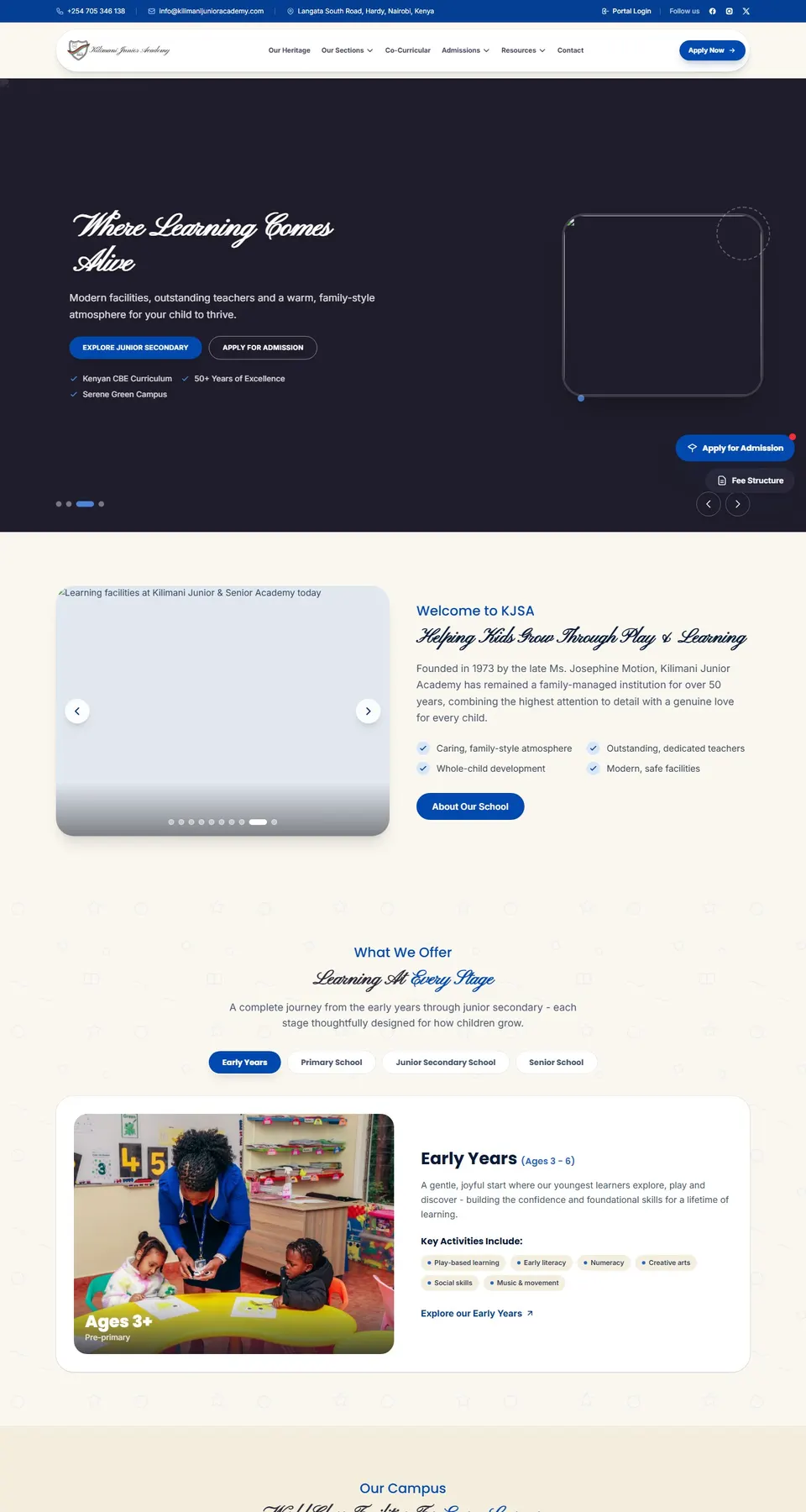
Kilimani Junior AcademySchool platform
Admissions, learning stages and school life for a Nairobi junior school.
kilimanijunioracademy.com
UNIWORLD by S3 EducationStudent portal
The student portal behind S3 Education's university placement work.
s3uniworld.com
#MyLittleBigThingLearning platform
eLearning, mentorship and an SDG innovation challenge for African university students.
mylittlebigthing.com
Leader DevelopmentCoaching platform
Leadership coaching for pastors: assessments, courses, a podcast and booked discovery calls.
leaderdevelopment.co
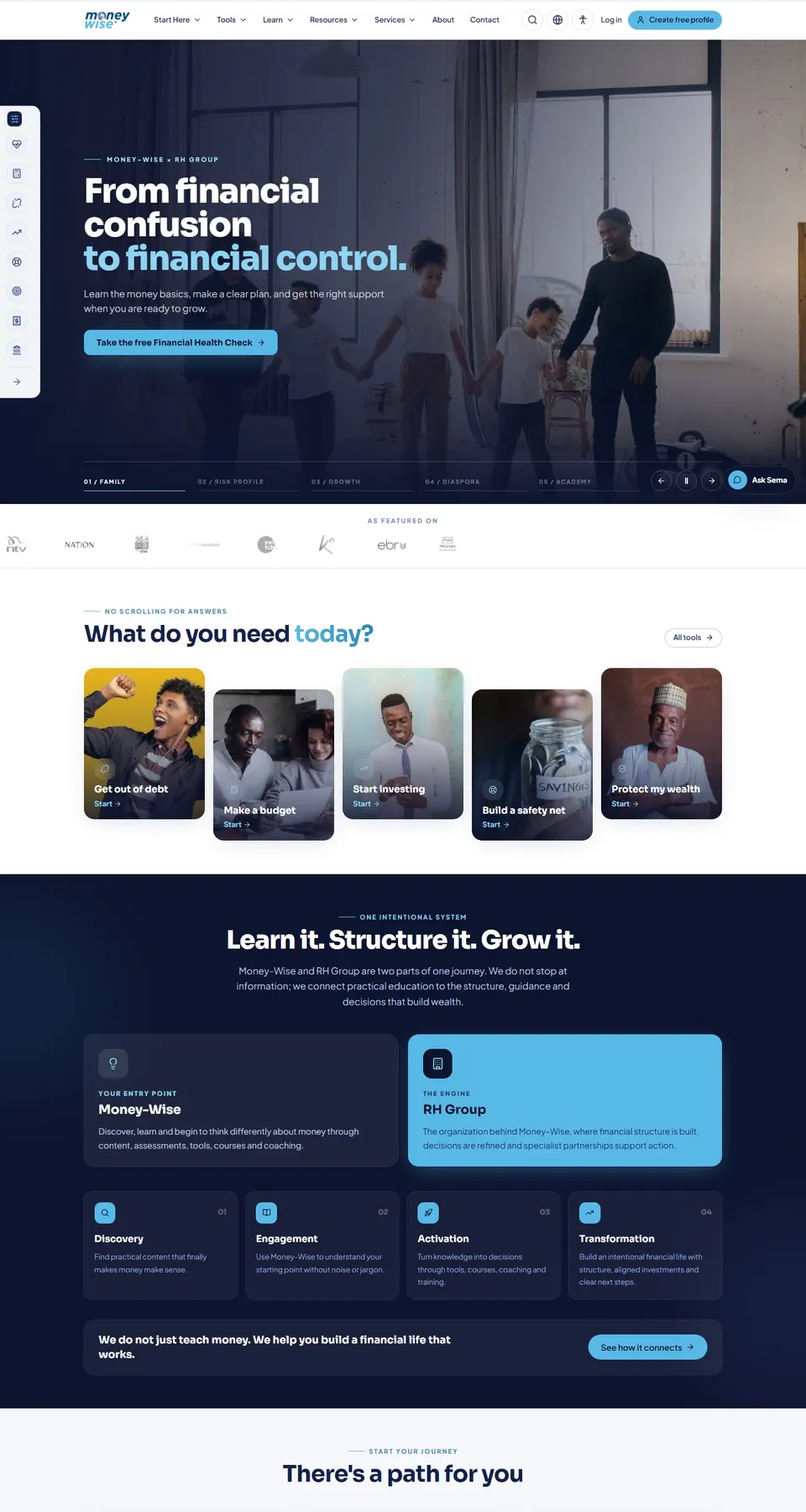
Money-WiseLearning platform
Financial tools, courses and coaching to get out of debt and build wealth across Africa.
moneywise.co.ke
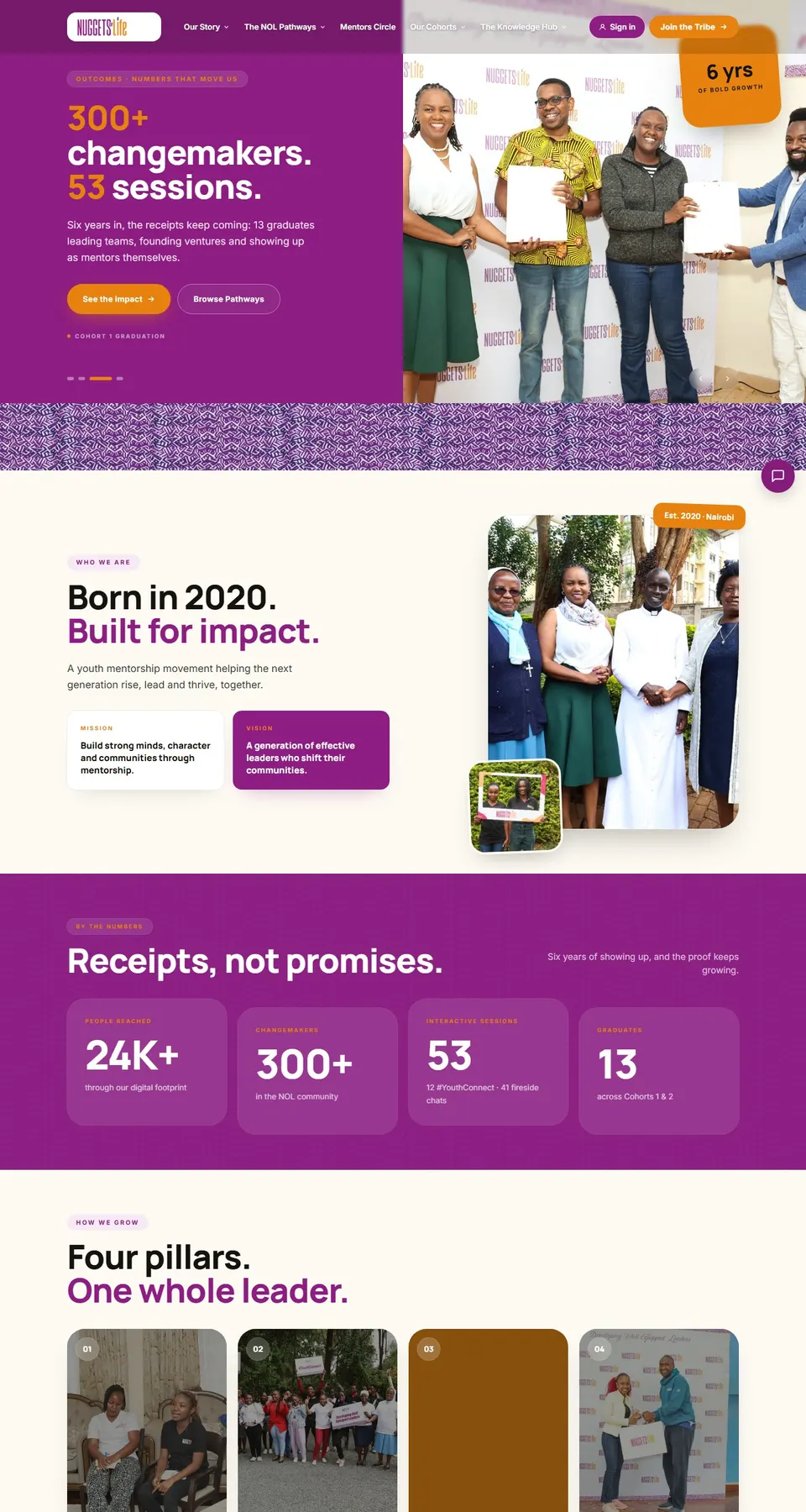
Nuggets of LifeCommunity site
Youth mentorship and leadership community: sessions, stories and sign-ups.
nuggetsoflife.org
Case study · Sustainability & ESG
My Little Big Thing
Amplifying the voices of young sustainability leaders across Africa.
4k+Innovator applications received15+African countries participating$500kIn follow-on funding secured
Read the case study
218 features. 24 areas, one system.
Every feature in Pinch for Schools, grouped by area. Pick an area, or search for the thing you need.
Learners & admissions
Every learner's record from first application to leaving certificate, with NEMIS details kept up to date.
- Online applicationsParents apply on the school website, upload the birth certificate and past reports, and pick an assessment slot.
- Entrance assessments and interviewsAssessment dates, panels and scores recorded per applicant, with offers sent from the same screen.
- Offer letters and admission feeOffer letters go out by email and SMS, and the admission fee is paid by M-Pesa against the application number.
- Admission numbersNumbers issued in your own format when an offer is accepted, and used as the paybill account from day one.
- NEMIS UPI and birth certificateUPI, birth certificate number and previous school kept per learner, with a list of learners still missing a UPI.
- Guardians and pick-up listParents and guardians with their contacts, plus the people allowed to collect the child, with photos.
- Family accountsSiblings linked under one family, so parents use one login and sibling discounts apply on their own.
- Medical and learning support notesAllergies, conditions and learning support needs flagged to the class teacher, nurse and matron.
- Documents per learnerBirth certificate, past report cards, transfer letters and consent forms stored on the learner record.
- Transfers and leaving certificatesTransfers in and out recorded with reasons; leaving certificates print once fees, books and kit are cleared.
- Learner timelineClass changes, payments, results, clinic visits and discipline notes on one page, with who recorded each.
Classes & timetable
Streams, subjects, teachers and a timetable that never books one teacher into two rooms.
- Grades, forms and streamsPP1 to Grade 10, Form 3 and Form 4 set up as streams, each with a class teacher, room and capacity.
- Senior School pathwaysGrade 10 learners placed in STEM, Social Sciences or Arts and Sports Science, with their subject combinations.
- Subject allocationLearning areas and subjects assigned per stream, with the teacher and the lessons per week for each.
- Timetable builderDraft timetables built around teacher loads, double lessons, labs and games, then adjusted by hand.
- Clash checksA teacher, room or lab can't be booked twice in the same period; clashes show before you publish.
- Cover lessonsWhen a teacher is away, free teachers are suggested for each lesson and told on their phones.
- Rooms and labsScience labs, the computer lab and the hall booked by period, with each booking shown on the timetable.
- Teacher and class viewsEach teacher sees their own week; class timetables print for noticeboards and show in the parent app.
- School calendarTerm dates, exams, sports days and parents' meetings on one calendar shared with staff and parents.
- Year-end promotionWhole streams moved up a grade in one step, with repeaters, leavers and stream changes handled one by one.
Attendance
Registers marked on a phone each morning, with parents told by SMS when a child is missing.
- Registers on a phoneClass teachers mark the morning and afternoon register in under a minute from their phones.
- Lesson attendanceSubject teachers in the secondary section mark attendance per lesson, so missed lessons show up.
- Absence SMS by 9amParents of absent learners get an SMS or app alert once the register closes, with a way to reply.
- Late arrivals and early pick-upsThe gate records late arrivals and early pick-ups, checked against the authorised pick-up list.
- Reasons and sick notesParents give a reason in the app; sick notes are attached and the absence is marked authorised.
- Patterns flaggedLearners absent three days in a fortnight, or every Monday, are flagged to the class teacher and deputy.
- Gate cards where fittedQR or RFID learner cards scanned at the gate feed the register when the school has the readers.
- Attendance on report cardsDays present and absent carried onto the end-of-term report card without retyping.
- Daily summary for the headAttendance by class and section by 9:30am, compared with the same day last term.
Assessments & CBE reports
CBE rubrics recorded per strand in class, and report cards built from them in minutes.
- Strands and sub-strandsEach learning area set up with its strands, sub-strands and learning outcomes for every grade.
- Rubric levelsTeachers record EE, ME, AE or BE per strand, or the finer sub-levels where a grade uses them.
- Levels entered in classTeachers tap a level for each learner on a phone while the lesson runs, instead of filling a book later.
- Portfolio evidencePhotos of models, artwork and written work attached to the strand they show, kept in the learner's portfolio.
- Projects and community serviceJunior School projects and community service learning tracked by group, with each learner's part.
- Core competencies and valuesCommunication, critical thinking, citizenship and the other competencies and values rated each term.
- Report cards in minutesTermly report cards built from the term's entries, with class teacher and head teacher comments.
- Comment bankTeachers pick and edit comments from a bank per level, so 40 report comments don't take a weekend.
- SBA for KNECSchool-based assessment scores for KPSEA and KJSEA candidates prepared in the layout KNEC asks for.
- Learning support listsLearners below expectations in a strand listed for extra lessons, and shown to parents with next steps.
- Progress across yearsA learner's levels per strand across terms and years, so the Grade 9 teacher sees the Grade 7 picture.
Exams & results
Exam series, mark entry, grading and analysis for Form 3, Form 4 and end-of-term papers.
- Exam seriesOpeners, mid-terms, end-terms and mocks set up as series, each with its papers, dates and invigilators.
- Mark entry per paperTeachers enter marks per paper on a phone or upload a sheet; papers out of 80 or 60 are scaled.
- Grading scalesKCSE-style A to E grading with points per subject, or your own scale per form and subject.
- Mean grades and positionsTotals, mean grade and points per learner and stream; class positions only if the school wants them.
- Subject analysisMean score, grade spread and teacher per subject, compared with the last series and the last year.
- Value addedEach learner's results compared with their entry scores, so improvement shows, not just the top ten.
- Report formsReport forms with every subject, teacher remarks, class teacher and principal comments and a trend line.
- Results to parentsResults sent by SMS and shown in the parent app once the principal releases them, not before.
- Mark locksMarks lock after the deadline; later changes need the director of studies and are logged.
- KCSE candidatesCandidate details, subject choices and mock results kept together for registration checks and targets.
Homework & e-learning
Homework, notes, quizzes and lesson plans in one place that learners, teachers and parents can reach.
- Homework with due datesTeachers set homework per stream with instructions and attachments; parents see it in the app that evening.
- Photo submissionsLearners hand in work as photos or files from a home phone; the teacher marks and comments online.
- Auto-marked quizzesMultiple-choice and short-answer quizzes marked on submission, with results per question for the teacher.
- Notes and videosNotes, past papers and short videos organised by grade, learning area and strand.
- Schemes of workSchemes of work per term and learning area, with lesson plans linked to the strands they cover.
- Lesson plans reviewedHeads of department review lesson plans and see which strands each stream has covered.
- Live class linksGoogle Meet or Zoom links attached to timetable lessons for revision classes or days the school is closed.
- Holiday assignmentsHoliday work set once per grade, with hand-ins tracked when school reopens.
- Parent viewParents see what is due, what was handed in and the teacher's comments for each child.
Library
Books, textbooks and loans tracked by barcode, with losses billed to the right fee account.
- Catalogue by ISBNBooks added by ISBN scan or by hand, with copies, shelf location, subject and grade level.
- Barcode issue and returnEach copy carries a barcode, so issuing and returning a book takes one scan at the desk.
- Textbook issue per learnerCourse books issued to each learner at the start of the year and checked back in before they move up.
- Due dates and remindersLoan periods per member type, with reminders to learners and parents before and after the due date.
- Fines and lost booksOverdue fines and replacement costs added to the learner's fee account, with the parent told why.
- Clearance for leaversLeavers and Form 4 candidates cleared only once their books are back, shown on the leaving checklist.
- Reading recordsBooks read per learner and class, for reading programmes and report card comments.
- Stock-take by phoneShelves counted with a phone scanner; missing and damaged copies listed for write-off.
- Digital shelfE-books and PDFs the school is licensed to share, opened from the learner portal.
Fees & M-Pesa
Fee structures, invoices, M-Pesa and bank payments, and every learner's balance, matched automatically.
- Fee structures per class and termTuition, boarding, lunch, transport and activity fees set per class and term, split into vote heads.
- Optional itemsTransport routes, lunch, swimming, clubs and trips billed only to the learners who take them.
- Invoices at term startEvery learner invoiced in one run when the term opens, with balances carried forward from last term.
- Paybill per learnerParents pay the school paybill with the admission number as the account, and the payment posts to that learner.
- M-Pesa STK pushParents tap Pay in the app or on a reminder link, enter their PIN, and the receipt arrives in seconds.
- Bank deposits matchedBank statements imported and matched to learners by reference; anything unclear goes to a short review list.
- Receipts by SMSEvery payment confirmed by SMS with the new balance, and a printable receipt in the parent app.
- Payment plansInstalment plans agreed with a parent, with reminders before each date and a flag when one is missed.
- Discounts and waiversSibling, staff-child and early-payment discounts applied by rule; waivers need the principal's approval.
- Fee statementsA statement per learner or family for any period, sent to parents or printed for meetings.
- Balances and ageingBalances by class, section and age of debt, with a call list for the bursar's office.
- Overpayments and refundsOverpayments held as credit for next term or refunded with approval, all shown on the statement.
Bursaries & sponsors
Bursaries, scholarships, sponsors and government capitation tracked per learner and per funder.
- Funders and schemesNG-CDF and county bursaries, church sponsors, alumni funds and the school's own scholarships set up as funders.
- Awards per learnerEach award recorded with the funder, amount, term and conditions, and applied to the learner's fee account.
- Pledges trackedPledged amounts followed up until the cheque or transfer arrives, with the date each was promised.
- One cheque, many learnersA bursary cheque covering 23 learners split across their fee accounts in one step from the funder's list.
- Scholarship conditionsMinimum grades or attendance per scholarship checked each term, with a list of learners at risk.
- Sponsor reportsFees paid, attendance and results per sponsored learner, sent to each sponsor at the end of term.
- Capitation for public schoolsGovernment capitation recorded per learner and vote head, ready for the termly returns.
- Bursary applicationsParents apply in the app with supporting documents; the committee scores and decides in one place.
- Funder statementsWhat each funder has paid, for whom and when, reconciled against the bank.
Expenses & budgets
Budgets by vote head, requisitions, approvals, payments and a cash book that reconciles with the bank.
- Budgets by vote headAnnual and termly budgets per vote head and department, approved by the board and tracked line by line.
- RequisitionsDepartments raise requisitions on their phones, and the bursar sees the budget left before approving.
- Approval levelsSpending approved by the bursar, principal or board depending on the amount, with each decision recorded.
- Supplier paymentsSupplier invoices matched to orders and deliveries, then paid by bank or M-Pesa with the reference kept.
- Petty cash and imprestImprest issued to staff for trips and errands, surrendered with receipts, and open balances chased.
- Cash book and bankA cash book per bank account and paybill, with statements imported for the monthly reconciliation.
- Budget against actualSpend against budget per vote head every month, with lines over 90% flagged to the principal.
- Receipts attachedPhotos of receipts and invoices attached to every payment voucher.
- eTIMS and withholding taxSupplier eTIMS invoice numbers recorded and checked, and withholding tax worked out where it applies.
- Board finance reportsIncome and expenditure, cash flow and budget reports ready for the Board of Management meeting.
Transport
Routes, buses, drivers and pick-up alerts, so parents know where the bus is.
- Routes and stopsRoutes with their stops, pick-up times and the learners at each stop, drawn on a map.
- Learners per busEach learner assigned a route and stop for the morning and evening runs, with changes dated.
- Boarding marked by the minderThe bus minder ticks each learner on and off on a phone, so the office knows who is on board.
- Pick-up and drop-off alertsParents get an SMS or app alert when their child boards the bus and when they are dropped off.
- Live bus locationWhere a bus carries a GPS tracker, parents see it on a map in the app.
- Transport fees by routeRoute charges billed to the fee account each term, with one-way and part-term options.
- Drivers and mindersDriving licences, PSV badges and minder details kept on file, with reminders before they expire.
- Vehicle complianceInsurance, NTSA inspection and speed governor certificates tracked per bus, with alerts before expiry.
- Fuel and service logFuel, mileage and service records per bus, with the running cost per kilometre and per learner.
- Trips and eventsBuses booked for trips, games and events, with a learner list and parent consent for each trip.
Boarding & dorms
Dorms, beds, roll calls, exeats and pocket money for boarders, with parents kept informed.
- Dorms and bedsDorms, cubicles and beds allocated per term, with the patron or matron for each and free beds at a glance.
- Roll callsEvening and night roll calls on a phone; anyone missing is escalated to the duty teacher at once.
- Exeats and leave-outsLeave requests approved by the house patron and confirmed by the parent, then signed out at the gate.
- Visiting daysVisitors checked against each learner's approved list, with every visit recorded.
- Pocket money walletsParents top up pocket money by M-Pesa, the tuck shop deducts purchases, and parents see every spend.
- Boarding requirementsThe term's requirements list checked in per learner on arrival, with missing items sent to parents.
- Diets and meal headcountsSpecial diets and allergies sent to the kitchen, with headcounts per meal taken from the roll call.
- Welfare and discipline notesIncidents, counselling referrals and welfare notes recorded with access limited to named staff.
- Lost propertyNamed items logged when found and returned to their owners, with photos of unnamed ones.
Clinic & health
Sick bay visits, medication, allergies and immunisations, with parents told the same day.
- Health recordsAllergies, conditions, blood group and the family doctor per learner, open to the nurse in one tap.
- Sick bay visitsEach visit logged with symptoms, treatment and whether the learner went back to class or home.
- Parent alertsParents told by SMS when their child visits the sick bay, and called first for anything serious.
- Medication logPrescribed medicine held by the nurse, with every dose, the time and who gave it.
- Medical consentConsent for first aid, trips and emergency treatment recorded per learner and renewed each year.
- Immunisation recordsVaccination cards uploaded and checked, with gaps listed for parents ahead of school health campaigns.
- Referrals and medical coverHospital referrals recorded with the learner's medical cover details and the parent's approval.
- Health trendsVisits by complaint, class and week, so an outbreak of flu or stomach upsets shows early.
Stores & inventory
Food, stationery, uniforms and equipment in and out of stores, with orders and suppliers in one place.
- Stores and stock itemsKitchen, stationery, cleaning, uniform and lab stores, each with its items, units and storekeeper.
- Purchase orders (LPOs)LPOs raised from approved requisitions and emailed to suppliers, with the budget line attached.
- Goods receivedDeliveries checked against the LPO, with shortfalls and rejects recorded before the invoice is paid.
- Issues to departmentsStock issued against requests from the kitchen, labs and classes, signed for on a phone.
- Kitchen issues per mealMaize, beans, rice and oil issued per meal from the headcount, with the food cost per learner per day.
- Reorder levelsEach item has a reorder level, and the storekeeper gets a list of what to order before it runs out.
- Uniform shopUniform sales by size, charged to the fee account or paid by M-Pesa, with stock kept per size.
- Suppliers and pricesApproved suppliers with KRA PINs, quoted prices and delivery history, compared before each order.
- Fixed assetsDesks, computers, lab equipment and buses tagged and listed by location, with condition and value.
- Stock-takesCounts entered on a phone and compared with the books; differences need a reason and approval.
Staff & payroll
Teaching and support staff records, leave, appraisals and a payroll that does the statutory deductions.
- Staff recordsContracts, qualifications, TSC numbers, KRA PINs and next of kin for every teacher and support worker.
- Teaching loadsLessons per week per teacher taken from the timetable, so loads are fair and gaps show before term starts.
- Leave requestsAnnual, sick, maternity and study leave applied for on a phone, approved by the head and shown on the cover plan.
- Leave balancesDays earned, taken and left per leave type, worked out from each contract.
- Staff attendanceStaff sign in on the staff app or at the gate, and late arrivals show on the monthly summary.
- Appraisals and observationsTargets, lesson observations and appraisal meetings recorded each term, with the teacher's own comments.
- Payroll in one runMonthly payroll for teaching and support staff, with allowances, overtime and deductions in one run.
- Statutory deductionsPAYE, SHIF, NSSF and the Housing Levy worked out at current rates and listed for remittance.
- Loans and SACCO deductionsSalary advances, SACCO, HELB and welfare deductions tracked to the last instalment.
- Payslips on the phonePayslips sent by email and shown in the staff app behind each person's own login.
- Bank and M-Pesa salary filesNet pay exported as a bank upload file, or paid by M-Pesa for casual staff.
- Year-end P9 formsP9 forms produced for every employee at the end of the year, ready for KRA returns.
Messages & notices
SMS, WhatsApp, email and app notices to parents and staff, sent to the right group and tracked.
- Audiences from live recordsSend to a class, a bus route, a dorm, families with balances or one parent, built from the records, not old lists.
- SMS with your sender IDBulk SMS under the school's own sender name, with the credit balance and cost shown before sending.
- WhatsApp and emailNotices also go by WhatsApp and email, falling back to SMS for parents who use neither.
- App notices with read receiptsCirculars posted in the parent app, showing who has opened them, with a reminder to those who haven't.
- Consent forms and repliesTrip and event consent collected in the app with a yes or no, and the trip fee paid in the same step.
- TemplatesTemplates for fee reminders, closing dates, meetings and results, filled in with each learner's details.
- Scheduled sendsMessages queued for a set date and time, such as a reminder the evening before opening day.
- Delivery reportsDelivered, failed and pending counts per message, with failed numbers listed for the office to correct.
- Replies in one inboxParent replies by SMS and in the app land in one shared inbox and can be assigned to the right teacher.
- Staff noticesStaff memos and duty rosters sent to teachers and support staff, kept apart from parent messages.
Parent portal & app
One login per family on any phone: balances, results, attendance, homework and the bus, for every child.
- One login for all siblingsParents switch between children without logging out, with balances per child and per family.
- Pay from the appM-Pesa STK push for fees, trips, lunch and pocket money, with the receipt in the app straight away.
- Statements and receiptsEvery invoice, payment and receipt for the year, downloadable as a PDF.
- Results and report cardsReport cards, CBE levels and exam results shown once the school releases them.
- Attendance and absence reasonsDays present and absent, with a button to give a reason or send a sick note.
- Homework and noticesWhat is due this week, school notices and the term calendar in one feed.
- Bus and boardingPick-up alerts, the bus on a map where tracked, exeat requests and pocket money balances.
- Contact details kept currentParents correct phone numbers and addresses, and the changes go to the office for approval.
- Learner portalOlder learners log in to see their homework, notes, quizzes and timetable.
- Works in any phone browserOpens in the browser and can be added to the home screen, so nobody needs an app store.
Notifications
Automatic messages for the moments parents and staff care about, sent once and logged.
- Payment receiptsAn SMS and app receipt within seconds of every M-Pesa or bank payment, with the new balance.
- Absence alertsSent when the register closes, only for learners marked absent without a reason.
- Fee remindersReminders before due dates and after missed instalments, with the paybill and account number filled in.
- Results releasedParents told when report cards or exam results are ready to view.
- Sick bay and exeat alertsParents told when a child visits the sick bay or is signed out on exeat.
- Staff alertsCover lessons, leave decisions, payslips and requisition approvals sent to the right person.
- Quiet hours and channel choiceNo routine messages late at night, and parents choose SMS, WhatsApp or the app.
- No double sendsThe same alert can't reach one parent twice within minutes, even if a register is saved twice.
Roles & audit
Each person sees only their part of the school, and every change has a name and a time on it.
- Roles by jobPrincipal, deputy, bursar, accounts clerk, class teacher, subject teacher, matron, nurse, driver and parent.
- Custom rolesNew roles built from single permissions, such as a games teacher who sees fixtures but not fees.
- Class-scoped accessTeachers see the learners in the classes and subjects they teach, not the whole school.
- Second approvalsWaivers, refunds, mark changes after a deadline and large payments need a second person to approve.
- Full audit trailEvery change to marks, fees, learner records and payroll logged with who, when, and the old and new value.
- Sign-in historyLogins by user and device, with sessions ended remotely when a phone is lost.
- Reversals, not deletionsPayments and receipts are reversed with a reason, never deleted, so the books always reconcile.
Reports & analytics
The figures the principal, the board and the ministry ask for, ready without a spreadsheet.
- Head teacher dashboardEnrolment, attendance, fees and results for the whole school on one screen each morning.
- Board of Management packEnrolment, finance, staffing and results summaries ready for each board meeting.
- Fee collection reportsCollections by day, week, class, vote head and payment channel, with balances and ageing.
- Enrolment returnsLearners by grade, gender and age, with special needs counts, laid out for NEMIS and ministry returns.
- Academic analysisResults by subject, stream, teacher and gender, with trends across terms and years.
- Export to Excel and PDFAny list or report exported to Excel, or to PDF on the school letterhead.
- Scheduled reportsDaily collections to the bursar and weekly attendance to the principal, sent by email.
Data import & setup
Moving off registers and spreadsheets without retyping, set up to match how your school runs.
- Learner importLearners, guardians and classes imported from Excel or your current system, with errors listed row by row.
- Opening fee balancesBalances brought forward per learner and checked against your last fee records before go-live.
- Staff and payroll importStaff records, salaries and deductions imported from your current payroll.
- School setupSections, grades, streams, terms, learning areas, grading scales and vote heads set to match your school.
- Your admission numbersExisting admission numbers kept as they are, with your own format for new ones.
- Crest and letterheadYour crest, colours and letterhead on report cards, receipts, statements and the parent app.
- Year-end rolloverA new academic year opened with promotions, new fee structures and balances carried forward.
Integrations
Connected to the payment, messaging and tax systems Kenyan schools already use.
- M-Pesa DarajaPaybill C2B, STK push and B2C refunds through Safaricom's Daraja API, on your own paybill.
- Bank filesStatements from your banks imported and matched, and salary files exported in each bank's format.
- Bulk SMS gatewaysSMS through a Kenyan gateway such as Africa's Talking, under your own sender ID.
- WhatsApp BusinessTemplate messages to parents through the WhatsApp Business Cloud API.
- KRA eTIMSInvoices validated on eTIMS where your school needs it, with the receipt number kept on the invoice.
- Google and Microsoft sign-inStaff and learners sign in with school Google Workspace or Microsoft 365 accounts.
- API and webhooksA documented API for other systems to read learners, classes and payments, with signed webhooks.
- Gate and bus hardwareCard readers and GPS trackers connected where the school already has them or chooses to add them.
Security & data protection
Children's data handled the way the Data Protection Act 2019 expects, hosted and backed up by Pinch.
- Parental consent recordedConsent for data use, photos and trips recorded per learner, with the date and who gave it.
- Encrypted dataData encrypted in transit, backups encrypted at rest, and payment keys stored encrypted.
- Two-step sign-inStaff with access to fees, payroll or health records confirm each login with a one-time code.
- Daily backupsBackups taken every day and kept off the main server, with restores tested.
- Data requestsParents' requests to see or correct their child's data logged and answered from one screen.
- Photo permissionsLearners without photo consent flagged, so their pictures stay off the website and social media.
- Leavers archivedRecords of learners who have left archived on a set schedule, with access limited to the office.
Offline & low-data use
Built for school Wi-Fi that drops and parents on prepaid bundles.
- Registers offlineAttendance and rubric entries save on the phone and sync when the connection returns.
- Light pagesParent pages kept small so they load quickly on a weak signal and use little data.
- SMS for every key alertParents without smartphones still get balances, receipts and alerts by SMS.
- USSD balance checkParents on feature phones check fee balances by USSD, where the school adds a USSD code.
- Printable fallbacksRegisters, class lists and bus lists print in one click for days when the power is out.
No feature matches that search. Ask us, we probably build it.
And the marketing to fill every class.
Live in 21 working days.
A fixed plan you can hold us to: what happens on which working day, from the first walk-through to the day your team goes live.
We map admissions, fees, assessments and parent communication, and agree which modules go first.
Working screens to test every few days, tested by your bursar, class teachers and a few parents.
Learners, classes, fee balances and staff imported from your registers and spreadsheets, then checked with you.
Staff trained on site and parents invited by SMS, ideally before a term opens. We stay on hand for the first fee cycle.
Before you ask.
What is Pinch for Schools?
A school management system built by Pinch Africa for Kenyan schools, colleges and training centres: admissions, classes, CBE report cards, M-Pesa fees, transport, boarding, staff and a parent portal in one system.
How long does it take to get our school live?
21 working days, from the first walk-through to go-live. Days 1 to 3 we map how you work, days 4 to 15 we build and you test, days 16 to 18 we move your data, and days 19 to 21 we train your team and switch on.
Do we have to replace everything at once?
No. Most schools start with learners, fees and the parent portal, then add assessments, transport and payroll. Each module works on its own and they all share the same data.
Does it handle CBE report cards?
Yes. Teachers record Exceeding, Meeting, Approaching or Below expectations per strand, add comments, and the report cards are built from those entries. School-based assessment scores are kept in the format KNEC asks for.
What about parents without smartphones?
They still get balances, receipts, absence alerts and notices by SMS, and pay through the school paybill as they do today. The portal is there for parents who want more.
Does it work for colleges and training centres?
Yes. The same modules handle intakes, units and semesters instead of grades and terms, with course fees on M-Pesa. Colleges and training centres often add an online learning space for notes and assignments.
What does it cost?
It depends on the modules and the number of learners. After a free scoping call you get a fixed-scope proposal in writing, so you know the price before we start.
Let's map your school.
A free scoping call, then a fixed-scope proposal in writing.