
All industries E-commerce & Retail
Sell online and in store, from one stock.
Your online store, shop tills, warehouse, riders and wholesale accounts on one system and one stock count. Customers pay with M-Pesa or card, every sale goes through KRA eTIMS, and you see the day's numbers before you lock up.
- Modules
- 16
- Features
- 214
- Login
- 1

Your shops run on
WhatsApp.
Excel.
Paper receipts.
- Online and shop stock disagreeThe website sells an item the shop sold this morning, and someone has to call the customer.
- Orders live in WhatsApp chatsScreenshots, voice notes and "is this available?" with no record of who ordered what.
- Deliveries are a guessing gameRiders are called one by one and nobody is sure which orders actually arrived.
- M-Pesa matched by handTill and paybill statements checked against sales, line by line, at the end of every day.
Your shops deserve better.
The system
Store, till and warehouse. One stock.
Sixteen modules on one database: a sale on the website, at a till or on a trade account comes off the same stock, goes to the right rider and reaches the books with its eTIMS receipt. Click around the dashboard below.
MLMvule LifestyleHome & lifestyle, 4 shops
- Sell
- Products & stock
- Orders
- Customers
- Finance
Dashboard
FAFaith AchiengOperations manager
WEEK 41 Welcome back, Faith
Mvule Lifestyle, Tuesday 6 October 2026.
Sales todayKES 742,550shops and online, to 2pm ▲ 2.2%
Online orders6411 waiting to be picked ▲ 2.3%
Stock valueKES 14.6M48,210 units, 5 locations ▲ 2.6%
Low stock239 already on order ▼ 3.3%
Sales today, last 12 weeksKES 742,550
This periodLast period
20 Jul3 Aug17 Aug31 Aug14 Sep28 Sep
By status
- on target2
- below target1
At a glance
Sales by channel today
ChannelOrdersSalesStatus
Online store
64
KES 268,400
on target
Westlands shop
118
KES 184,000
on target
Thika Road shop
57
KES 84,950
below target
No records match.
Recent activity
Order #10482 out for deliveryRider Hassan, Kilimani, 2 min ago
Transfer TR-0918 receivedThika Road, 36 items from the warehouse
M-Pesa till payment matchedKES 4,350, receipt POS-WL-22871
PO-2214 approvedCoast Housewares Ltd, KES 386,000
New dashboard
Online store
FAFaith AchiengOperations manager
Online storeWebsite orders, visits and conversion, today.
Orders today64 ▼ 3.5%
Conversion2.9%from 2,206 visits ▼ 3.2%
Average orderKES 4,190 ▼ 3.3%
Carts recoveredKES 38,600this week ▼ 3.2%
Online sales, last 7 days, KES KKES 268K
WedThuFriSatSunMonTue
By status
- paid3
- awaiting pin2
- collect, Yaya1
- failed1
All payment All status Today
OrderCustomerPaymentTotalStatus
#10482
Wanjiru Kamau
M-Pesa
KES 6,450
paid
#10483
Brian Otieno
Card
KES 12,900
paid
#10484
Aisha Mohamed
M-Pesa
KES 3,200
awaiting pin
#10485
Kevin Mwangi
Card
KES 8,750
collect, Yaya
#10486
Lucy Wairimu
M-Pesa
KES 2,490
failed
#10488
Samuel Kiprono
Card
KES 15,350
paid
#10490
Njeri Mwangi
M-Pesa
KES 4,150
awaiting pin
No records match.
Web order · 3 items · Home delivery, Kilimani
- Customer
- Wanjiru Kamau, 0712 *** 201
- Items
- 2 linen cushion covers, 1 throw blanket
- Subtotal
- KES 6,200 incl. VAT
- Delivery
- KES 250, Kilimani zone
- Payment
- M-Pesa STK push, SJ6K2M9XQ4
- Packed at
- Warehouse, Ruaraka
- Rider
- Hassan Abdi, out for delivery
- Out for delivery with Hassan Abdi, tracking link sent to the customer by SMS
- Picked and packed at the warehouse, 3 items scanned
- eTIMS receipt issued and emailed to Wanjiru Kamau
- KES 6,450 paid by M-Pesa STK push, order marked paid
- Order placed on the website from a phone
Send payment link
Point of sale
FAFaith AchiengOperations manager
Point of saleTills and shifts across the four shops, today.
Shop sales todayKES 474,150 ▲ 4.7%
Receipts312 ▼ 4.1%
Paid by M-Pesa71% ▼ 5%
Cash varianceKES 350Kilimani, shift 1 ▲ 0.5%
- Linen cushion cover23,300
- Scented candle, cedar11,200
- Electric kettle 1.7L12,930
Tap an item to add it.
Incl. VAT 16%0 Total0
All shops Open shifts
TillShopCashierSalesStatus
WL-01
Westlands
Mercy Atieno
KES 98,400
open
WL-02
Westlands
John Kariuki
KES 85,600
open
KL-01
Kilimani
Ann Wangari
KES 132,300
short KES 350
TR-01
Thika Road
Peter Mutua
KES 84,950
offline, syncing
MB-01
Mombasa
Halima Said
KES 72,900
open
KL-02
Kilimani
Brian Omondi
KES 64,200
open
MB-02
Mombasa
Zainab Ali
KES 41,750
cashed up
No records match.
Westlands shop · Till WL-01 · Shift opened 08:02
- Cashier
- Mercy Atieno
- Float
- KES 5,000, counted at 08:02
- Cash sales
- KES 21,350
- M-Pesa till
- KES 64,900 in 41 payments
- Card
- KES 12,150 in 6 payments
- Receipts
- 58 sales, 1 return
- Average basket
- KES 1,697
- eTIMS
- All 58 receipts signed
- Sale POS-WL-22871 of KES 4,350 paid by M-Pesa till and matched
- Cash drop of KES 15,000 to the safe, witnessed by the supervisor
- Return of 1 glass vase, KES 1,800, approved by the supervisor
- Shift opened with a float of KES 5,000
Open till
Wholesale
FAFaith AchiengOperations manager
WholesaleTrade accounts, orders and balances.
Trade accounts86 ▲ 8.1%
Orders this month47to 6 October ▲ 3.4%
Owed to youKES 2.41M ▲ 6.8%
Overdue 30+ daysKES 318K6 accounts ▲ 9.7%
Trade accounts, last 12 weeks86
This periodLast period
20 Jul3 Aug17 Aug31 Aug14 Sep28 Sep
By status
- within limit3
- near limit2
- 45 days overdue1
- paid up1
All tiers All status
AccountTierLimitBalanceStatus
Mama Njeri Stores
Tier B
KES 100,000
KES 48,200
within limit
Ruaka Mini Mart
Tier A
KES 200,000
KES 186,000
near limit
Kitengela Traders
Tier B
KES 120,000
KES 91,500
45 days overdue
Kilifi Palm Apartments
Hotel
KES 300,000
KES 64,800
within limit
Eldoret Home Centre
Tier A
KES 250,000
KES 0
paid up
Nanyuki Home Store
Tier B
KES 120,000
KES 37,400
within limit
Kisumu Lakeside Hotel
Hotel
KES 250,000
KES 231,900
near limit
No records match.
Trade account TA-0142 · Tier B · 30-day terms · Kiambu
- Contact
- Njeri Wanjiku, 0721 *** 552
- Price list
- Tier B, 18% below retail
- Credit limit
- KES 100,000
- Balance
- KES 48,200, none overdue
- Available
- KES 51,800
- Last order
- TO-3307, KES 32,600, 29 Sep
- Delivery
- Weekly van, Kiambu route
- KES 25,000 received by bank transfer and allocated to INV-W-1188
- TO-3307 delivered on the Kiambu route, signed for by Njeri Wanjiku
- Trade order TO-3307 for KES 32,600 confirmed, eTIMS invoice issued
- August statement sent by email: KES 40,600 due by 30 Sep
New trade order
Products
FAFaith AchiengOperations manager
Products3,120 products across 14 categories.
Products3,120 ▼ 3.4%
Variants8,946 ▲ 5.4%
Missing photos42 ▲ 3%
Price changes118scheduled for 1 Nov ▲ 0.7%
Products, last 12 weeks3,120
This periodLast period
20 Jul3 Aug17 Aug31 Aug14 Sep28 Sep
By status
- active4
- no photo1
- draft1
- on promotion1
All categories All channels Active
SKUProductRetailMarginStatus
MV-KT-1042
Electric kettle 1.7L
KES 3,450
38%
active
MV-CW-2210
Non-stick pan set, 3
KES 7,800
42%
active
MV-BD-3307
Cotton duvet set, queen
KES 9,250
47%
no photo
MV-FW-5120
Running shoes, 42
KES 7,900
35%
active
MV-HM-0815
Scented candle, cedar
KES 1,200
61%
draft
MV-TX-4418
Linen cushion cover
KES 1,650
55%
active
MV-KT-1187
Blender 1.5L
KES 5,600
31%
on promotion
No records match.
Small appliances · Mvule Home · Online, shops and wholesale
- Barcode
- 6164001042106
- Retail price
- KES 3,450 incl. 16% VAT
- Landed cost
- KES 2,139
- Tier B price
- KES 2,830
- Variants
- White, Black, Silver
- Stock
- 42 warehouse, 19 in shops
- Tax
- VAT 16%, eTIMS item code mapped
- Online
- Live, 3 photos, 14 reviews
- Retail price changed from KES 3,650 to KES 3,450 by Faith Achieng
- Landed cost updated to KES 2,139 from PO-2188
- Silver variant added with its own barcode
- Shelf labels printed for all four shops
Add product
Inventory
FAFaith AchiengOperations manager
InventoryStock across the warehouse and four shops.
Stock valueKES 14.6Mat average cost ▼ 4.6%
Units on hand48,210 ▲ 6.2%
Low stock23 ▲ 1.6%
In transit4transfers ▲ 4.3%
Electric kettle 1.7L
Cotton duvet set, queen
Glass jars, set of 6
Blender 1.5L
Linen cushion cover
Scented candle, cedar
Running shoes, 42
WH is the Ruaraka warehouse. Low means under the shop's minimum; tap a tile to open the item.
All locations Low stock
ItemWarehouseShopsReorder atStatus
Electric kettle 1.7L
42
19
30
healthy
Running shoes, 42
6
2
12
reorder
Cotton duvet set, queen
18
11
10
healthy
Glass jars, set of 6
0
27
15
move stock
Blender 1.5L
9
4
12
on order
Linen cushion cover
64
38
40
healthy
Scented candle, cedar
48
5
20
move stock
No records match.
MV-KT-1042 · Small appliances · 61 units in 5 locations
- Warehouse, Ruaraka
- 42
- Westlands
- 6
- Kilimani
- 5
- Thika Road
- 4
- Mombasa
- 4
- Stock value
- KES 130,479 at landed cost
- Sells per week
- About 22 across all channels
- Reorder
- At 30 units, supplier lead time 10 days
- 4 units sold across the shops this morning
- Transfer TR-0915 received at Kilimani: 6 units
- 1 unit written off at Thika Road, damaged on display, approved
- 48 units received at the warehouse from PO-2188
New transfer
Purchasing
FAFaith AchiengOperations manager
PurchasingPurchase orders and supplier bills.
Open POs9 ▼ 4.6%
Arriving this week4 ▲ 2.6%
Spend this monthKES 1.2Mto 6 October ▲ 4.1%
Bills due in 7 daysKES 642K ▲ 6.2%
POSupplierAmountExpectedStatus
PO-2207
Ruiru Linen Mills
KES 640,000
29 Sep
received
PO-2209
Guangzhou Homeware Co.
USD 8,400
21 Oct
in transit
PO-2211
Kitui Leather Works
KES 212,500
9 Oct
for approval
PO-2214
Coast Housewares Ltd
KES 386,000
13 Oct
approved
PO-2215
Athi River Ceramics
KES 154,200
16 Oct
draft
PO-2216
Nakuru Basket Weavers
KES 96,800
19 Oct
for approval
PO-2217
Thika Glassworks
KES 118,400
20 Oct
approved
PO-2218
Kariobangi Metal Crafts
KES 74,600
23 Oct
draft
PO-2219
Kisii Soapstone Carvers
KES 58,900
27 Oct
draft
PO-2213
Ningbo Kitchenware Co.
USD 5,200
26 Oct
in transit
PO-2208
Ruiru Linen Mills
KES 318,000
2 Oct
received
No records match.
Bedding and linen · Raised 15 Sep by Faith Achieng · To warehouse
- Supplier
- Ruiru Linen Mills Ltd
- Lines
- 6 items, 1,280 units
- Amount
- KES 640,000 incl. VAT
- Approved by
- Director, 16 Sep
- Received
- 29 Sep, 1,276 of 1,280 units
- Short
- 4 pillowcases
- Supplier invoice
- RLM/INV/7741, matched
- Pay by
- 29 Oct, 30-day terms
- Supplier invoice RLM/INV/7741 matched to the PO and the goods received note
- 1,276 units received at the warehouse, 4 pillowcases short
- Approved by the director and emailed to Ruiru Linen Mills
- PO raised from suggested orders for 6 bedding lines
New PO
Stock takes
FAFaith AchiengOperations manager
Stock takesCounts, gaps and approvals.
Counts this month6 ▼ 2%
Accuracy98.7%last full count ▲ 1.1%
To approveKES 21,400in gaps, 2 counts ▲ 8.4%
Kitchen
Bedding and bath
Home decor
Store room
ST-0412, Westlands, counted Sun 4 Oct: 17 lines with a gap, net -KES 8,600 to approve.
CountLocationItemsGapStatus
ST-0412
Westlands
1,240
-KES 8,600
to approve
ST-0413
Mombasa
10 Oct
ST-0411
Warehouse, aisle C
410
-KES 2,150
approved
ST-0410
Kilimani
1,180
-KES 12,800
recount 4 items
ST-0409
Thika Road
960
KES 0
approved
ST-0408
Warehouse, aisle A
530
-KES 1,400
approved
ST-0407
Mombasa
1,020
KES 650
approved
No records match.
Biggest gaps
Scented candle, cedar: 5 shortWestlands, KES 6,000
Bath towel, white: 2 shortKilimani, KES 3,600, recount asked
Glass jars, set of 6: 1 overKilimani, KES 1,450
Full count · Westlands shop · Sun 4 Oct, 18:30 to 21:10
- Lines counted
- 1,240 of 1,240
- Counted by
- Mercy Atieno, John Kariuki
- Method
- Blind count with handheld scanners
- Lines with a gap
- 17
- Over
- KES 3,250 on 6 lines
- Short
- KES 11,850 on 11 lines
- Net gap
- -KES 8,600, 0.4% of shop stock
- Biggest gap
- Scented candle, cedar: 5 short
- 6 lines recounted by the supervisor, net gap down from KES 14,900
- Count closed, 17 lines with a gap listed for review
- Count started after closing, stock frozen for the count
- Count scheduled and count sheets assigned to two counters
Start count
Orders
FAFaith AchiengOperations manager
OrdersAll channels, from payment to dispatch.
New today71 ▼ 2%
To pick11 ▼ 4.6%
Packed, not sent8 ▲ 8.1%
Same-day cut-off2pm11 orders still to go ▲ 4.3%
All channels All status Today
OrderChannelShip fromTotalStatus
#10482
Website
Warehouse
KES 6,450
out for delivery
#10487
WhatsApp
Kilimani
KES 4,100
to pick
#10488
Website
Warehouse
KES 15,350
packed
#10489
Phone
Mombasa
KES 2,800
awaiting pin
SO-3318
Trade
Warehouse
KES 96,400
dispatched
#10490
Website
Warehouse
KES 4,150
awaiting pin
#10491
Instagram
Westlands
KES 3,300
to pick
#10492
Website
Warehouse
KES 7,800
packed
#10476
Instagram
Westlands
KES 5,200
out for delivery
#10483
Website
Warehouse
KES 12,900
delivered
#10471
WhatsApp
Kilimani
KES 2,600
delivered
No records match.
Order #10482
Out for deliveryRider Hassan Abdi, 11:42
Packed and checkedKevin Odhiambo, warehouse, 10:58
Paid by M-PesaReceipt SJ6K2M9XQ4, 09:31
Website order · Wanjiru Kamau · Delivery to Kilimani today
- Customer
- Wanjiru Kamau, 0712 *** 201
- Lines
- MV-TX-4418 x2, MV-TX-5102 x1
- Paid
- KES 6,450 by M-Pesa
- Ship from
- Warehouse, Ruaraka
- Picked by
- Joseph Kimani, 11:12
- Delivery
- Kilimani zone, KES 250
- Rider
- Hassan Abdi, KMEX 482M
- Promised
- Today before 17:00
- Handed to rider Hassan Abdi, tracking link sent to the customer by SMS
- Packed and labelled: 1 parcel, 2.4 kg
- Picked by Joseph Kimani from pick list PL-0611
- Paid by M-Pesa and released to the warehouse pick queue
Create order
Deliveries
FAFaith AchiengOperations manager
DeliveriesToday's runs across Nairobi, and courier parcels.
To deliver today48 ▼ 3.9%
Out with riders17 ▼ 3%
On time94%last 30 days ▼ 4.7%
Failed today2 ▼ 4.1%
Riders nowHassan, Moses and Collins on the road
Live
OrderZoneRiderFeeStatus
#10471
Kilimani
Hassan Abdi
KES 250
delivered
#10482
Kilimani
Hassan Abdi
KES 250
on the way
#10476
Westlands
Moses Kiprono
KES 300
on the way
#10479
Syokimau
Collins Omondi
KES 450
rescheduled
#10480
Ruaka
Not assigned
KES 400
late
#10474
Karen
Collins Omondi
KES 400
delivered
#10483
South B
Moses Kiprono
KES 350
delivered
No records match.
Delivered 6 Oct, 11:46 · Kilimani zone · Proof of delivery taken
- Customer
- Grace Chebet, 0728 *** 914
- Address
- Argwings Kodhek Road, Kilimani
- Parcels
- 2, total 5.1 kg
- Rider
- Hassan Abdi, KMEX 482M
- Collected
- 6 Oct, 10:58 at the warehouse
- Delivered
- 6 Oct, 11:46, 48 minutes later
- Proof
- Photo and the code from the SMS
- Fee
- KES 250, paid with the order
- Delivered: customer gave the 4-digit code and a photo was saved
- Rider nearby, customer told by SMS
- Collected at the warehouse by Hassan Abdi
- Assigned to Hassan Abdi on the morning Kilimani run, 4 drops
Assign riders
Returns
FAFaith AchiengOperations manager
ReturnsReturns, exchanges and warranty claims.
Open returns12 ▲ 2.6%
Return rate2.1%of orders, last 30 days ▼ 5.4%
Refunded this monthKES 46,300 ▼ 3.4%
All reasons All status
ReturnOrderReasonOutcomeStatus
RT-0318
#10433
Wrong size
Exchange
exchanged
RT-0319
#10451
Damaged in transit
KES 3,450
inspecting
RT-0320
POS-KL-1187
Faulty kettle
Warranty
with supplier
RT-0321
#10466
Changed mind
KES 2,490
refunded
RT-0322
#10302
After 14 days
None
declined
RT-0323
#10458
Colour not as shown
KES 1,650
inspecting
RT-0324
POS-WL-21904
Wrong size
Exchange
exchanged
RT-0325
#10461
Missing item
KES 1,200
requested
RT-0326
POS-MB-04417
Wrong colour
Exchange
requested
RT-0317
#10419
Faulty blender
Warranty
with supplier
RT-0316
#10402
Changed mind
KES 1,650
refunded
No records match.
Online order #10433 · Brought to the Westlands shop · Exchange
- Customer
- Aisha Mohamed, 0733 *** 776
- Item returned
- Cotton duvet set, double
- Exchanged for
- Cotton duvet set, queen
- Price difference
- KES 1,100 paid by M-Pesa
- Condition
- Unopened, back to shop stock
- Within policy
- Yes, day 6 of 14
- Handled by
- Mercy Atieno, Westlands
- Exchange completed, eTIMS credit note and new receipt issued
- KES 1,100 difference paid by M-Pesa till
- Item checked at Westlands: unopened, returned to shop stock
- Return requested on the website, reason: wrong size
New return
Customers
FAFaith AchiengOperations manager
CustomersEveryone who has bought, online and in store.
Customers18,420 ▲ 3.8%
Repeat buyers37% ▼ 5.7%
Points issued1.94Mthis year ▼ 3.7%
Gold members612 ▲ 5.5%
Customers, last 12 weeks18,420
This periodLast period
20 Jul3 Aug17 Aug31 Aug14 Sep28 Sep
By status
- gold2
- silver3
- cart left1
- new1
All tiers All shops Last order
CustomerPhoneOrdersPointsStatus
Wanjiru Kamau
0712 486 201
14
2,860
gold
Grace Chebet
0728 330 914
22
4,980
gold
Aisha Mohamed
0733 214 776
7
1,420
silver
Brian Otieno
0722 905 318
3
640
cart left
Kevin Mwangi
0701 552 049
1
120
new
Lucy Wairimu
0745 118 362
5
860
silver
Samuel Kiprono
0790 664 105
9
1,930
silver
No records match.
Gold member since March 2025 · Kilimani · Prefers WhatsApp
- Phone
- 0712 486 201
- Spent this year
- KES 84,300 over 14 orders
- Average order
- KES 6,021
- Channels
- Website 9, Westlands shop 5
- Points
- 2,860, worth KES 286
- Favourite range
- Bedding and linen
- Consent
- SMS and WhatsApp, given 3 Mar 2025
- Last order
- #10482, 6 Oct, KES 6,450
- Order #10482 paid, 64 points earned
- Bought at the Westlands shop, receipt POS-WL-20511, 98 points
- Moved up to Gold after KES 75,000 spent this year
- Redeemed 1,000 points for KES 100 off an online order
Add customer
Promotions
FAFaith AchiengOperations manager
PromotionsOffers and vouchers across all channels.
Live promotions5 ▲ 1.2%
Vouchers redeemed846this month ▲ 9.5%
Discount givenKES 212Kthis month ▲ 2.6%
Sales on offerKES 1.9M ▲ 2%
Mon 2829301234Mon 5Tue 67891011Mon 12131415161718Mon 19202122232425
Kitchen week, 15% offAll channels
Gold double pointsAll channels
Buy 2 towels, get 1Shops
FIRSTORDER voucherOnline
Free delivery over 5,000Online
Weekend bedding offerShops
Mashujaa Day saleOnline
Payday, 10% off beddingAll channels
PromotionChannelRunsUsesStatus
Kitchen week, 15% off
All channels
1 to 12 Oct
1,204
live
FIRSTORDER voucher
Online
Ongoing
386
live
Buy 2 towels, get 1
Shops
1 to 31 Oct
217
live
Mashujaa Day sale
Online
18 to 20 Oct
draft
Black Friday 2026
All channels
27 to 30 Nov
scheduled
Gold double points
All channels
5 to 11 Oct
642
live
Back to school, 10% off
All channels
1 to 14 Sep
2,318
ended
Free delivery over 5,000
Online
28 Sep to 4 Oct
1,018
ended
Weekend bedding offer
Shops
9 to 11 Oct
scheduled
Payday, 10% off bedding
All channels
23 to 25 Oct
scheduled
No records match.
15% off kitchen and small appliances · Website and all four shops
- Applies to
- Kitchen range, 214 products
- Excludes
- Items already on clearance
- Runs
- Thu 1 Oct to Mon 12 Oct, 23:59
- Uses so far
- 1,204 receipts and orders
- Sales under offer
- KES 1.86M
- Discount given
- KES 328,200
- Margin after offer
- 29%, floor set at 25%
- Approved by
- Faith Achieng, 24 Sep
- Mid-run report: 1,204 uses, best seller the Electric kettle 1.7L
- Went live on the website and at every shop till
- Shelf labels with the offer price printed for all four shops
- Approved by Faith Achieng after a margin check
New promotion
Marketing
FAFaith AchiengOperations manager
MarketingCampaigns, journeys and the sales they bring in.
Sent this month24,310 ▲ 5.9%
Read or opened61% ▼ 1.6%
Sales from campaignsKES 684Kto 6 October ▼ 2.7%
Sent this month, last 12 weeks24,310
This periodLast period
20 Jul3 Aug17 Aug31 Aug14 Sep28 Sep
By status
- sent3
- running2
- waiting stock1
- draft1
CampaignChannelAudienceSalesStatus
Kitchen week launch
WhatsApp
6,820 opted in
KES 312,400
sent
Abandoned cart
WhatsApp, SMS
Automatic
KES 38,600
running
October newsletter
Email
9,140
KES 61,200
sent
Back in stock: blenders
SMS
214 waiting
waiting stock
Mashujaa Day sale
WhatsApp
Gold and Silver
draft
Gold double points
SMS
1,180 Gold
KES 94,700
sent
Win-back, 90 days
WhatsApp
Automatic
KES 27,300
running
No records match.
Journeys running
Welcome series, 3 messages182 new customers this week
Abandoned cart, after 1 hour41 carts this week, 9 recovered
Review request, 5 days after delivery64 reviews in September
WhatsApp broadcast · Sent Thu 1 Oct, 10:00 · Kitchen week
- Audience
- 6,820 customers opted in
- Delivered
- 6,642 (97%)
- Read
- 4,918 (74%)
- Clicked
- 1,106 to the kitchen page
- Orders
- 187 within 7 days
- Sales
- KES 312,400
- Opt-outs
- 23, removed at once
- Cost
- KES 5,800 in messaging fees
- 7-day result: 187 orders and KES 312,400 traced to the message
- Sent to 6,820 customers, 6,642 delivered
- Message template approved for WhatsApp business messaging
- Draft written and a test sent to 3 team phones
New campaign
Payments
FAFaith AchiengOperations manager
PaymentsCollections by method, matched to sales.
Collected todayKES 742,550 ▼ 4.2%
Auto-matched98.4% ▲ 0.8%
Unmatched3KES 7,850 to clear ▲ 1.2%
Card feesKES 18,240this month ▲ 7.1%
Collected today by method, KES KKES 743K
By status
- matched4
- settled1
- unmatched1
- pending1
All methods All shops Today
ReferenceMethodFromAmountStatus
SJ6K2M9XQ4
M-Pesa STK
Wanjiru Kamau
KES 6,450
matched
SJ6L7PR2TA
M-Pesa till
Westlands WL-01
KES 4,350
matched
CRD-88214
Card
Kilimani KL-01
KES 12,900
settled
SJ6M3QW8ZB
Paybill
0722 xxx 418
KES 2,500
unmatched
AM-551902
Airtel Money
Thika Rd TR-01
KES 1,800
pending
FT26275KX9Q
Bank transfer
Mama Njeri Stores
KES 25,000
matched
SJ6P4HV7NC
M-Pesa till
Mombasa MB-01
KES 3,150
matched
No records match.
M-Pesa STK push · Order #10482 · Received 6 Oct, 09:40
- Payer
- Wanjiru Kamau, 0712 *** 201
- Amount
- KES 6,450
- Matched to
- Order #10482, in full
- Matched by
- Automatic, from the M-Pesa callback
- eTIMS receipt
- INV-10482, CU-018247
- M-Pesa charge
- KES 35
- Settles to bank
- 7 Oct, with the daily sweep
- eTIMS receipt INV-10482 signed and sent to the customer
- Order #10482 marked paid and released for picking
- M-Pesa confirmation received: SJ6K2M9XQ4, KES 6,450
- Payment prompt sent to 0712 *** 201 at checkout
Record payment
eTIMS
FAFaith AchiengOperations manager
eTIMSInvoices sent to KRA, October 2026.
Sent this month6,912 ▲ 7.7%
Accepted99.9% ▲ 1.4%
In queue4retrying every 10 min ▲ 7.4%
Output VATKES 412,680month to date ▲ 3.2%
Bill toWanjiru KamauOnline order #10482, M-PesaDuePer account termsStatus: accepted
| Description | Qty | Unit | Amount |
|---|---|---|---|
| Linen cushion cover | 2 | 1,422 | 2,845 |
| Throw blanket, cotton | 1 | 2,500 | 2,500 |
| Delivery, Kilimani zone | 1 | 216 | 216 |
Subtotal5,560VAT 16%890 TotalKES 6,450
Bill toWalk-in customerWestlands till WL-01, M-PesaDuePer account termsStatus: accepted
| Description | Qty | Unit | Amount |
|---|---|---|---|
| Throw blanket, cotton | 1 | 2,500 | 2,500 |
| Scented candle, cedar | 1 | 1,034 | 1,034 |
| Gift wrapping | 1 | 129 | 129 |
| Paper bag, large | 2 | 43 | 86 |
Subtotal3,750VAT 16%600 TotalKES 4,350
Bill toKilifi Palm ApartmentsTrade order SO-3318, 30 daysDuePer account termsStatus: accepted
| Description | Qty | Unit | Amount |
|---|---|---|---|
| Bath towel, white, trade | 40 | 948 | 37,931 |
| Hand towel, grey, trade | 40 | 345 | 13,793 |
| Bed sheet set, double, trade | 12 | 2,241 | 26,897 |
| Courier to Kilifi | 1 | 4,483 | 4,483 |
Subtotal83,103VAT 16%13,297 TotalKES 96,400
Bill toGrace ChebetReturn RT-0319, order #10451DuePer account termsStatus: accepted
| Description | Qty | Unit | Amount |
|---|---|---|---|
| Electric kettle 1.7L, damaged in transit | 1 | 2,974 | 2,974 |
Subtotal2,974VAT 16%476 TotalKES 3,450
Bill toWalk-in customerThika Road till TR-01, offlineDuePer account termsStatus: queued
| Description | Qty | Unit | Amount |
|---|---|---|---|
| Glass vase | 1 | 1,552 | 1,552 |
Subtotal1,552VAT 16%248 TotalKES 1,800
Bill toWalk-in customerKilimani till KL-01, cardDuePer account termsStatus: accepted
| Description | Qty | Unit | Amount |
|---|---|---|---|
| Hand towel, grey | 2 | 523 | 1,046 |
| Bath mat, cotton | 1 | 885 | 885 |
Subtotal1,931VAT 16%309 TotalKES 2,240
Bill toRuaka Mini MartTrade order SO-3320, buyer PIN missingDuePer account termsStatus: rejected, buyer PIN
| Description | Qty | Unit | Amount |
|---|---|---|---|
| Electric kettle 1.7L, trade | 12 | 2,279 | 27,353 |
| Glass jars, set of 6, trade | 24 | 912 | 21,883 |
| Delivery, Ruaka | 1 | 1,368 | 1,368 |
Subtotal50,603VAT 16%8,097 TotalKES 58,700
All sources All status October
InvoiceSourceAmounteTIMS no.Status
INV-10482
Website
KES 6,450
CU-018247
accepted
POS-WL-22871
Westlands till
KES 4,350
CU-018248
accepted
TINV-3318
Trade
KES 96,400
CU-018249
accepted
CN-0319
Credit note
-KES 3,450
CU-018250
accepted
POS-TR-08812
Thika Road till
KES 1,800
queued
POS-KL-15520
Kilimani till
KES 2,240
CU-018251
accepted
TINV-3320
Trade
KES 58,700
rejected, buyer PIN
No records match.
Website sale · Order #10482 · Signed 6 Oct, 09:41
- Customer
- Wanjiru Kamau, no PIN given
- Taxable amount
- KES 5,560.34
- VAT 16%
- KES 889.66
- Lines
- 2 lines, item codes mapped
- Control unit no.
- CU-018247
- Sent
- 6 Oct, 09:41, accepted in 2 seconds
- QR code
- On the receipt and the email copy
- Receipt with the KRA QR code emailed to Wanjiru Kamau
- Accepted by KRA eTIMS, control unit number CU-018247
- Sent to eTIMS from the website checkout
- Payment matched and invoice INV-10482 created
Retry queue
Reports
FAFaith AchiengOperations manager
ReportsSeptember 2026, all channels.
SalesKES 24.8MSeptember ▼ 2%
Gross margin41.2% ▼ 0.5%
Average basketKES 2,260 ▲ 5.7%
Return rate2.1% ▼ 6%
Sales by month, KES MKES 24.8M
AprMayJunJulAugSep
By status
- +12%1
- +4%1
- +10%1
- +2%1
- -6%1
- +18%1
- -9%1
ChannelSalesMarginOrdersvs August
Online store
KES 7.4M
39%
1,742
+12%
Westlands
KES 5.2M
43%
3,410
+4%
Wholesale
KES 4.6M
31%
52
+10%
Kilimani
KES 3.9M
42%
2,690
+2%
Thika Road
KES 2.1M
40%
1,980
-6%
WhatsApp and phone
KES 0.9M
38%
610
+18%
Corporate gifting
KES 0.6M
33%
38
-9%
No records match.
September 2026 · Online store · Compared with August
- Sales
- KES 7.4M, up 12% on August
- Orders
- 1,742
- Average order
- KES 4,248
- Gross margin
- 39%, KES 2.89M
- Conversion
- 2.1% of 82,950 visits
- Paid by
- M-Pesa 78%, card 19%, other 3%
- Top product
- Cotton duvet set, queen
- Returns
- 2.3% of orders
- September report emailed to the directors as PDF and Excel
- Month closed, eTIMS totals reconciled to sales
- Mid-month flash report sent: online sales up 9%
- August report emailed to the directors
New report
Notifications
Order #10482 out for deliveryRider Hassan, Kilimani, 2 min ago
Transfer TR-0918 receivedThika Road, 36 items from the warehouse
M-Pesa till payment matchedKES 4,350, receipt POS-WL-22871
PO-2214 approvedCoast Housewares Ltd, KES 386,000
Dashboard
Sales, orders, stock and cash across the website, four shops and wholesale: the first screen the operations team opens each morning.
Open a module
Online store
Your own store on your domain, selling from the same stock as the shops, with M-Pesa and card checkout.
- Store on your own domainYour brand, colours and pages on your .co.ke address, with SSL and no marketplace commission on each sale.
- M-Pesa STK push checkoutThe customer enters a phone number, approves the prompt with their PIN, and the order is marked paid on confirmation.
- Card and Airtel MoneyVisa and Mastercard through a card gateway, and Airtel Money where you want it, all landing on the same order.
- Live stock on every pageProduct pages show stock at the warehouse and each shop, so the website never sells a shelf that is empty.
- Click and collectCustomers pick a shop at checkout; the items are held there and an SMS goes out when the order is ready.
- Variants, bundles and gift cardsSizes and colours under one product, bundles that take stock from each item, and gift cards usable in store.
- Search and filtersSearch by name, code or barcode, with filters for category, price, size, colour and stock near you.
- Built for phones on slow dataSmall pages, compressed images and a short checkout, because most orders come from phones on mobile data.
- Abandoned cart remindersCustomers who leave a cart get a WhatsApp or SMS reminder with a link straight back to their basket.
- Guest checkout or accountBuy without an account, or sign in by phone number to see past orders, receipts and loyalty points.
- Reviews and questionsVerified buyers leave reviews; questions go to the team and the answers show on the product page.
- Search engine basics built inClean product addresses, meta titles, structured data and a sitemap, so product pages can be found on Google.
Point of sale
Tills in every shop that sell from the same stock and prices as the website, and keep going offline.
- Runs on a tablet or till PCWorks in the browser on an Android tablet, a touchscreen till or a laptop, with a receipt printer and cash drawer.
- Barcode scanningScan to add an item, scan again to add another, and sell loose items by weight or quantity.
- M-Pesa, card and cashSTK push to the customer's phone, Buy Goods till, card terminal and cash in one sale, split any way.
- eTIMS receipt on every saleEach sale is sent to KRA eTIMS and the printed receipt carries the invoice number and QR code.
- Keeps selling offlineIf the internet drops, the till keeps selling and syncs sales and stock as soon as the connection is back.
- Shifts and cash-upOpen a shift with a float, count cash at close against the expected total, and record any difference.
- Discounts with limitsCashiers can give discounts up to a set percentage; anything above needs a supervisor's PIN.
- Hold and recall salesPark a sale while the customer fetches another item and serve the next person in the queue.
- Returns at the counterFind the original receipt, refund to M-Pesa, card or store credit, and the item goes back into stock.
- Loyalty at the tillFind the customer by phone number, add points to the sale, or let them pay part of it with points.
- Petty cash and pay-outsRecord cash taken from the drawer for small expenses, with a reason and a photo of the receipt.
- Sales by cashierSales, voids, discounts and refunds per cashier and per shift, so unusual patterns stand out.
Wholesale & B2B
Trade buyers order at their own prices and credit terms, through a portal or through your sales reps.
- Trade price listsPrice tiers per customer group, with quantity breaks and agreed prices for named accounts.
- Credit limits and termsA limit and 7, 30 or 60-day terms per account; orders over the limit wait for approval.
- Buyer portalTrade customers log in, see their prices and stock, reorder from past orders and download statements.
- Quotes to ordersSend a quote, turn it into an order when accepted, and keep the stock reserved until the agreed date.
- Cartons and minimum quantitiesPacks, cartons and minimum order quantities per item, so trade orders come in the units you ship.
- Orders taken by sales repsReps take orders on their phones at the customer's premises, with the account's prices and balance on screen.
- Statements and ageingMonthly statements by email, with balances aged 30, 60 and 90 days and reminders before due dates.
- Payments against invoicesTrade customers pay by M-Pesa paybill, bank or cheque, and payments clear the oldest invoice first.
- Delivery notes and proofDelivery notes print with the order, and the signed copy or a photo is attached when the goods arrive.
- Account holdsAccounts over their limit or overdue go on hold automatically until the balance is cleared or approved.
Product catalogue
One product record for every channel: names, variants, barcodes, prices, photos and KRA tax codes.
- One record for every channelA product is set up once and sold on the website, at the tills and to trade buyers under the same code.
- Variants and optionsSize, colour and material as variants of one product, each with its own SKU, barcode and stock.
- Barcodes and labelsUse the maker's barcode or generate your own, and print shelf labels and price stickers in batches.
- Prices per channelRetail, online and trade prices on one screen, with price changes scheduled from a set date.
- Cost and marginAverage cost from purchases kept per item, with the margin shown next to each price before you save.
- KRA tax codesEach item carries its VAT class (16%, zero-rated or exempt) and item code, so eTIMS receipts are right.
- Photos and descriptionsSeveral photos per product, compressed for phones, with one description used on the web and in feeds.
- Categories and collectionsNested categories for the store menu, and collections such as "Back to school" built by rule or by hand.
- Bulk import and editLoad or update thousands of products from a spreadsheet, with a check that flags missing codes and prices.
- Bundles and kitsSell a dinner set or a starter kit as one item, and stock comes off each piece inside it.
- Product historyEvery change to a price, cost or description is logged with who made it and when.
Inventory & transfers
Live stock at the warehouse and every shop, with transfers, reorder points and a full movement history.
- Stock per location, liveEvery sale, delivery, transfer and return updates the count at that shop or warehouse as it happens.
- Transfers between sitesA shop requests stock, the warehouse picks and sends it, and the shop confirms what arrived.
- Reorder pointsMinimum and maximum levels per item and location, with a daily list of what to order or move.
- ReservationsStock held for paid online orders, click and collect and trade quotes is not offered to anyone else.
- Batches and expiry datesItems with a shelf life are tracked by batch and expiry date, and the oldest stock is sold first.
- Serial numbersAppliances carry serial numbers from receipt to sale, for warranty claims and returns.
- Bin locationsAisle, rack and bin per item in the warehouse, printed on pick lists so packers go straight to it.
- Adjustments with reasonsDamage, theft and write-offs recorded with a reason code; large ones need a manager's approval.
- Movement historyEvery unit traced through receipt, transfer, sale, return or write-off, with the user and the document behind it.
- Slow and dead stockItems that have not sold in 60 or 90 days flagged, with the value tied up in each location.
- Stock valuationStock value at weighted average cost per location, on any date you choose.
Purchasing & suppliers
Reorders, purchase orders, goods received and supplier bills, with landed cost on imports.
- Suggested ordersReorder lists built from sales, stock on hand and each supplier's lead time, ready to turn into POs.
- Purchase orders by emailPOs approved in the system and emailed to the supplier as a PDF, in KES, USD or another currency.
- Approval limitsOrders above a set value go to the finance manager or a director before they are sent.
- Goods received notesReceive against the PO by scanning, with short, extra and damaged items recorded on the spot.
- Landed costFreight, duty, clearing and IDF fees spread across an import, so each item carries its true cost.
- Supplier recordsContacts, KRA PIN, bank details, payment terms, lead times and the prices you last paid.
- Three-way matchingThe supplier's invoice is checked against the PO and the goods received before it can be paid.
- Bills and payments dueBills listed by due date, with bank, M-Pesa and cheque payments recorded against each one.
- Supplier performanceOn-time delivery, fill rate and price changes per supplier, ready for the next negotiation.
- Returns to supplierFaulty stock sent back with a debit note, and the credit tracked until it is used.
Stock takes
Full counts and rolling cycle counts on phones, with gaps approved before stock is corrected.
- Full and cycle countsCount a whole shop at month end, or a few aisles each day so every item is counted over the quarter.
- Count on a phoneStaff scan barcodes with their phones or a handheld scanner, with no count sheets to type up later.
- Blind countsCounters do not see the expected quantity, so the number they enter is what is really on the shelf.
- Count while tradingLock a location during the count, or keep selling and let the system allow for sales made meanwhile.
- Recounts on big gapsItems with a gap above a set value or percentage go back for a second count by someone else.
- Variance approvalThe manager reviews gaps by value and approves them, and the stock and the books are corrected together.
- Shrinkage reportLosses by shop, category and period, so you can see where stock goes missing.
- Count historyEvery count kept with who counted what, the gaps found and who approved them.
Orders & fulfilment
Orders from the website, WhatsApp, calls and trade buyers in one queue, picked, packed and tracked.
- One order queueWebsite, WhatsApp, phone and trade orders in one list with the channel, payment and promised date.
- Orders from chats and callsStaff turn a WhatsApp chat or a call into an order in a minute and send the customer an M-Pesa prompt.
- Ship from the right placeEach order goes to the warehouse or the nearest shop with the stock, by rules you set.
- Pick lists and batchesPick lists sorted by bin location, and batch picking for many small orders in one walk.
- Scan to packPackers scan each item into the parcel, so wrong or missing items are caught before dispatch.
- Split and part ordersSend what is in stock now and the rest when it arrives, with the customer told what to expect.
- Notes and gift messagesDelivery instructions, gift wrap and notes travel with the order to the packer and the rider.
- Status updates to customersSMS or WhatsApp when the order is confirmed, packed, out for delivery and delivered.
- Cancel and refundCancel before dispatch and refund to M-Pesa or card, with the stock released at once.
- Order timelineEvery step with its time and the person behind it: paid, picked, packed, dispatched, delivered.
- Same-day cut-offOrders paid before the cut-off are flagged for same-day dispatch; the rest move to the next run.
Deliveries & riders
Zones, fees and riders, with delivery runs, live status, proof of delivery and payment at the door.
- Zones and feesDelivery fees and times per zone, from Westlands and Kilimani out to Syokimau, Ruaka and Kitengela.
- Rider appRiders see their run on their phones, call or WhatsApp the customer, and mark each drop.
- Assign by zoneOrders grouped by zone and given to in-house riders or a courier, with the load per rider shown.
- Proof of deliveryA photo, a signature or a one-time code sent to the customer confirms each drop.
- Payment at the doorThe rider sends an M-Pesa prompt at the door, and the order is marked paid when it confirms.
- Tracking link by SMSCustomers get a link showing the order status and the rider's name and number.
- Failed deliveriesNo answer or a wrong address recorded with a reason, then the order is rescheduled or returned to stock.
- Upcountry by courierParcels to Mombasa, Kisumu and Eldoret booked with a courier, with the waybill number kept on the order.
- Rider pay and fuelDrops per rider counted for pay, with fuel and other costs logged against each run.
- On-time reportDeliveries on time by zone and rider, and the reasons behind late and failed drops.
Returns & exchanges
Returns, exchanges and warranty claims from the website or the counter, with refunds and restocking.
- Return requests onlineCustomers start a return from their order, pick a reason and add photos; staff approve or decline it.
- Return at any shopAn online order can be returned at any shop, with the refund going back to the original payment.
- ExchangesSwap for another size, colour or item, with the price difference charged or refunded.
- Refund optionsRefund to M-Pesa, card or store credit, with approval needed above a set amount.
- Inspect and restockEach returned item graded as resellable, damaged or faulty, and only resellable stock goes back on sale.
- Warranty claimsFaulty appliances logged by serial number, sent to the supplier and tracked until repaired or replaced.
- Return rulesReturn windows and non-returnable items set by category, shown at checkout and on the receipt.
- Return reasons reportReturns by reason, product and supplier, so a bad batch or a misleading photo shows up quickly.
Customers & loyalty
One profile per customer across the website and shops, with history, points, tiers and store credit.
- One profile, every channelOnline and in-store purchases linked by phone number into one customer record.
- Purchase historyEvery order, receipt, return and delivery address, visible at the till and in the back office.
- Points on every purchasePoints earned per shilling spent online or in store, and used as part payment at checkout or the till.
- Tiers and rewardsSilver and Gold tiers by yearly spend, with tier discounts, free delivery or early access to sales.
- Store credit and gift cardsCredit from returns and gift card balances kept on the profile and usable on any channel.
- Birthday offersAn automatic message with a voucher on the customer's birthday or the date of their first order.
- SegmentsGroups such as "bought kitchenware in 90 days" or "Gold members who have not bought since June".
- Consent and preferencesSMS, WhatsApp and email consent recorded per customer, as the Data Protection Act 2019 expects.
- Customer valueTotal spend, order count, average order and last purchase per customer, sortable and exportable.
- Merge duplicatesTwo records for the same person found by phone or email and merged, with the history kept.
Promotions & vouchers
Discounts, vouchers, bundles and sale events, set once and applied the same online and at the tills.
- Discount rulesPercentage or amount off, by product, category, brand, customer tier or channel.
- Buy X get Y and bundlesBuy two get one free, mix and match, and bundle prices worked out at the till and at checkout.
- Voucher codesSingle-use or shared codes, with a minimum spend, an expiry date and a limit per customer.
- Scheduled sale eventsA Black Friday or weekend sale set up in advance, starting and ending at set times on every channel.
- Free delivery thresholdsFree delivery above a basket value, by zone, for chosen tiers or during a promotion.
- Shop-only or online-onlyRun an offer in one shop, online only or everywhere, with the offer named on the receipt.
- Stacking rulesDecide which offers can combine, so a voucher and a sale price do not cut the margin twice.
- Influencer and partner codesCodes per influencer or partner, with the sales and commission tracked against each one.
- Promotion resultsSales, units, margin and new customers per promotion, compared with the weeks before it.
Marketing & WhatsApp
WhatsApp, SMS and email campaigns to the right customers, with the sales from each one traced back.
- WhatsApp broadcastsApproved WhatsApp templates sent to opted-in customers by segment, with product photos and a buy link.
- SMS campaignsBulk SMS under your sender name, with the customer's name, points or last purchase filled in.
- Email newslettersNew arrivals and offers by email, built from catalogue products so prices and stock stay current.
- Automated journeysWelcome series, abandoned cart, review requests and win-back messages that run on their own.
- Back-in-stock alertsCustomers ask to hear when an item returns, and get a message as soon as the stock is received.
- Sales from each campaignOrders and revenue traced to the campaign, message or link that brought them in.
- Meta and Google trackingMeta Pixel, the Conversions API and Google Analytics events from the store, for better ad targeting.
- Product feedsCatalogue feeds for Facebook and Instagram shops and Google Shopping, updated with stock and prices.
- Opt-out handlingSTOP replies and unsubscribes respected on every channel and recorded against the customer.
Payments & reconciliation
M-Pesa, card, Airtel Money, bank and cash matched to sales every day, with gaps flagged for a person.
- M-Pesa STK push and tillDaraja STK push online and at the till, and Buy Goods till payments matched to the sale.
- Paybill with account numbersTrade customers pay the paybill with their account or invoice number and it is allocated automatically.
- Card settlementsCard terminal and online card payments matched to the bank settlement, with the fees recorded.
- Airtel MoneyAirtel Money payments accepted and matched the same way as M-Pesa.
- Daily cash-upEach shop's takings by method against the till totals, with cash banked and the deposit slip attached.
- Automatic matchingPayments matched by reference, phone number and amount; anything left over is listed for a person to clear.
- Bank statement importBank statements loaded as CSV and matched to deposits, card settlements and supplier payments.
- Refunds and reversalsM-Pesa reversals and card refunds tracked from request to completion against the original sale.
- Callbacks verifiedEvery M-Pesa and gateway callback checked with the provider before an order is marked paid.
- Cash-flow viewMoney in by channel and money out to suppliers, riders and expenses, by day and by week.
Invoices & eTIMS
Every sale, credit note and trade invoice sent to KRA eTIMS, with VAT worked out and the books kept in step.
- eTIMS on every saleOnline orders, till sales and trade invoices sent to KRA eTIMS as they happen, with the invoice number saved.
- QR code on receiptsPrinted and emailed receipts carry the eTIMS QR code and invoice number, so buyers can check them.
- Credit notesReturns and refunds raise an eTIMS credit note linked to the original invoice.
- Queue when KRA is downIf eTIMS cannot be reached, invoices queue and retry, and any still not accepted are flagged.
- Buyer PIN on trade invoicesTrade customers' KRA PINs saved on the account and printed on their invoices for input VAT.
- Item codes and classesEach product mapped once to its KRA item class and tax type, then used on every invoice after.
- Purchases from eTIMSSupplier invoices issued to your PIN on eTIMS pulled in and checked against the goods received.
- VAT summaryOutput and input VAT by rate for the month, ready for your accountant to file the return on iTax.
- Trade invoices and statementsBranded invoices for wholesale orders, emailed with the eTIMS details and added to the statement.
- Accounting exportSales, VAT, payments and stock movements posted to the ledger or exported for your accountant.
Reports
Sales, margin, stock and staff reports by shop, channel and product, on screen, as PDF or as a spreadsheet.
- Daily sales reportSales, receipts, average basket and payment methods per shop and channel, sent to owners each evening.
- Margin by product and shopGross margin by item, category, shop and channel, using the landed cost of what was sold.
- Best and worst sellersTop and bottom items by units, revenue and margin for any period, per location.
- Stock reportsStock on hand, value, days of cover and ageing per location, on any date.
- Staff performanceSales, average basket, discounts and returns per cashier and per sales rep.
- Channel comparisonWebsite, shops and wholesale side by side: orders, revenue, margin and returns.
- Branch profit and lossSales, cost of sales and shop expenses per branch, so each shop's profit is clear.
- Scheduled reportsAny report emailed daily, weekly or monthly to the people who need it, as PDF or Excel.
- Export everythingEvery table exports to CSV or Excel for your accountant or your own analysis.
Custom built, not off the shelf. Every system we build is made to fit the client's needs: the modules, screens, wording and reports follow how your organisation works. The business, names and figures in this demo are examples.
Free plan, no obligation



 Your answers go straight to the people who build it.
Get the plan for your shops.
- A fixed-scope plan and price within 24 hours
- Live in 21 working days, then hosted and supported by us
- Built around how you work, not squeezed into a template
Your answers go straight to the people who build it.
Inventory
One stock count, every channel.
Live stock at the warehouse and every shop, with transfers, reorder points and a full movement history.
- Stock per location, live
- Transfers between sites
- Reorder points
Inventory
Search
FAFaith AchiengOperations manager
InventoryStock across the warehouse and four shops.
Adjust stock New transfer
Stock valueKES 14.6Mat average cost
Units on hand48,210
Low stock23
In transit4transfers
Search item or SKU All locations Low stock
ItemWarehouseShopsReorder atStatus
Electric kettle 1.7L
42
19
30
healthy
Running shoes, 42
6
2
12
reorder
Cotton duvet set, queen
18
11
10
healthy
Glass jars, set of 6
0
27
15
move stock
Blender 1.5L
9
4
12
on order
Stock value by location, KES M
Inventorylive
Electric kettle 1.7L
42
healthy
Running shoes, 42
6
reorder
Cotton duvet set, queen
18
healthy
Deliveries & riders
Riders routed. Customers told.
Zones, fees and riders, with delivery runs, live status, proof of delivery and payment at the door.
- Zones and fees
- Rider app
- Assign by zone
Deliveries
Search
FAFaith AchiengOperations manager
DeliveriesToday's runs across Nairobi, and courier parcels.
Zones and fees Assign riders
To deliver today48
Out with riders17
On time94%last 30 days
Failed today2
OrderZoneRiderFeeStatus
#10471
Kilimani
Hassan Abdi
KES 250
delivered
#10482
Kilimani
Hassan Abdi
KES 250
on the way
#10476
Westlands
Moses Kiprono
KES 300
on the way
#10479
Syokimau
Collins Omondi
KES 450
rescheduled
#10480
Ruaka
Not assigned
KES 400
late
Deliveries by zone today
Deliverieslive
#10471
Kilimani
delivered
#10482
Kilimani
on the way
#10476
Westlands
on the way
Payments & reconciliation
Every till balances.
M-Pesa, card, Airtel Money, bank and cash matched to sales every day, with gaps flagged for a person.
- M-Pesa STK push and till
- Paybill with account numbers
- Card settlements
Payments
Search
FAFaith AchiengOperations manager
PaymentsCollections by method, matched to sales.
Import statement Unmatched Record payment
Collected todayKES 742,550
Auto-matched98.4%
Unmatched3KES 7,850 to clear
Card feesKES 18,240this month
Search ref or phone All methods All shops Today
ReferenceMethodFromAmountStatus
SJ6K2M9XQ4
M-Pesa STK
Wanjiru Kamau
KES 6,450
matched
SJ6L7PR2TA
M-Pesa till
Westlands WL-01
KES 4,350
matched
CRD-88214
Card
Kilimani KL-01
KES 12,900
settled
SJ6M3QW8ZB
Paybill
0722 xxx 418
KES 2,500
unmatched
AM-551902
Airtel Money
Thika Rd TR-01
KES 1,800
pending
Collected today by method, KES K
Collected today
KES 742,550 Auto-matched: 98.4%
Online orders
From order to doorstep.
What happens to every website or WhatsApp order, with the stock, the payment, the eTIMS receipt and the rider recorded along the way.
-
01
Order
The customer orders on the website or on WhatsApp, and the items are reserved straight away.
-
02
Pay
An M-Pesa prompt or a card payment confirms the order, and the eTIMS receipt is issued.
-
03
Pick and pack
The nearest location with stock picks by bin, and each item is scanned into the parcel.
-
04
Dispatch
Orders grouped by zone go to a rider or courier, and the customer gets a tracking link.
-
05
Deliver
The rider confirms the drop with a photo or a code, or collects M-Pesa at the door.
-
06
Follow up
Points are added, a review request goes out, and any return starts from the order itself.
Portals
From the counter to the customer's door.
Owners see every shop and channel on their phone, staff and riders get the screens for their job, and customers track orders, collect points and reorder without calling the shop.
For customers, shop staff and riders and owners.
Built for Kenya
Wired into how Kenyans shop.
M-Pesa and cards
STK push at checkout and at the till, card payments too, and till and paybill payments matched to orders.
KRA eTIMS
Every sale, online or at the counter, validated on eTIMS with the receipt number kept on the order.
Nairobi delivery zones
Delivery fees and times set by zone, from Westlands and Kilimani out to Syokimau and Ruaka.
WhatsApp & SMS
Order updates, rider alerts, receipts and offers on the channels customers actually read.
Marketplaces
Jumia and Kilimall stock and order sync are connections we can build, so one stock count covers them too.
Zambia
Mobile money and kwacha pricing for shops in Lusaka, run from the same system as Nairobi.
Choose a connection to see what it does.
RPinch for Retail
Running today
Built for retail and live.
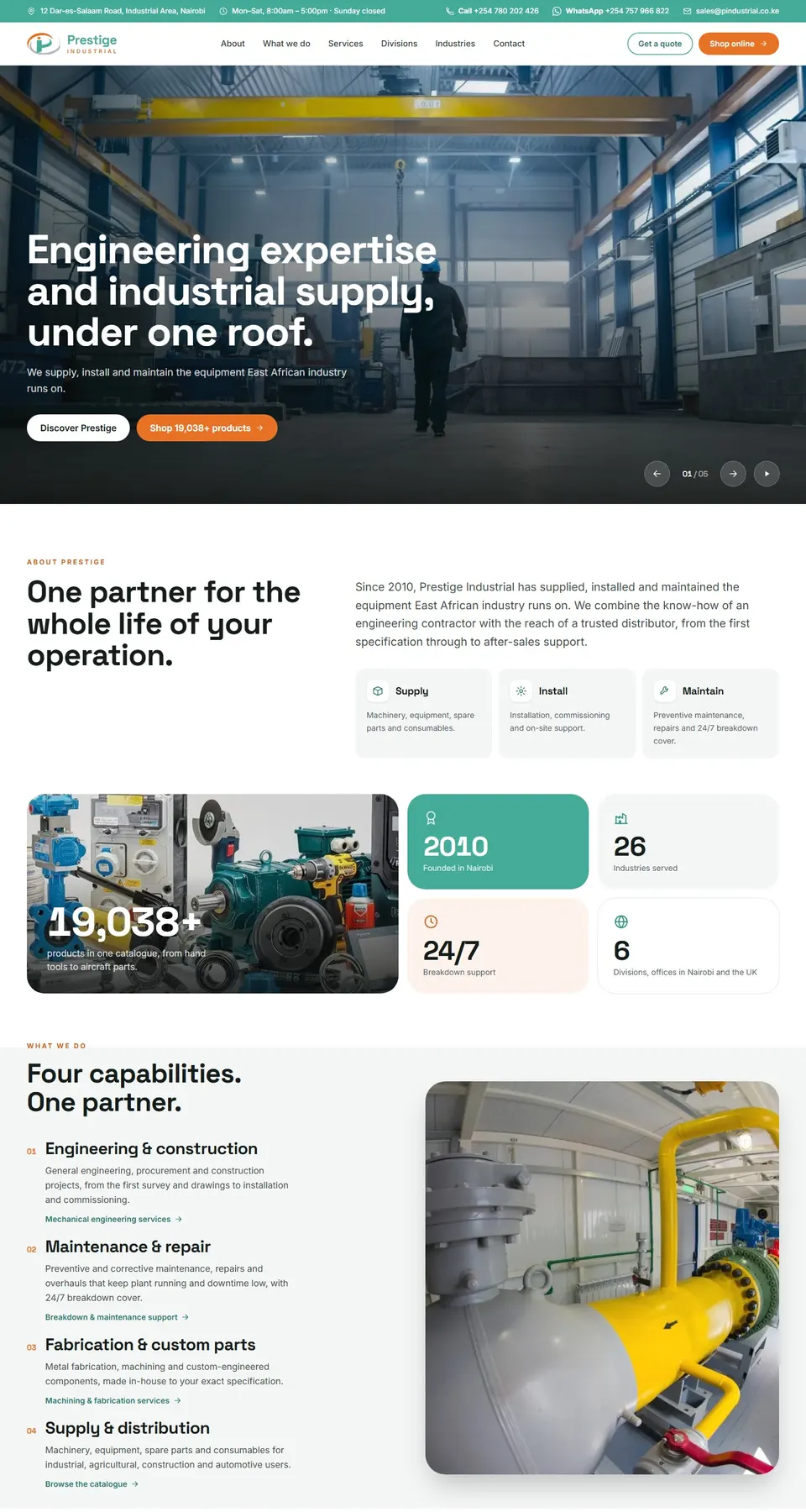
Prestige Industrial sells a catalogue of more than 19,000 parts through a store we built and host, with quotes and online orders. Garrett Africa, the official Garrett detector distributor for Kenya, Zambia and Tanzania, runs its catalogue and dealer sales on a site we built. We also built the websites for LYL Fashion, Forte Active, House of Gladys and Stainless Steel Masters.

 Case study · Industrial & B2B
Garrett Africa
Digital expansion and distributor enablement for the world’s leading metal detection brand.
300%Increase in organic traffic65New distributor pipelines opened#1Ranking for "Gold Detector Africa"
Read the case study
Case study · Industrial & B2B
Garrett Africa
Digital expansion and distributor enablement for the world’s leading metal detection brand.
300%Increase in organic traffic65New distributor pipelines opened#1Ranking for "Gold Detector Africa"
Read the case study

One stock.
Website, tills and wholesale sell from the same count.
Delivered.
Riders routed, customers told, proof of delivery on the phone.
Built for Kenya.
M-Pesa checkout, eTIMS receipts and WhatsApp from day one.
Everything inside
214 features. 24 areas, one system.
Every feature in Pinch for Retail, grouped by area. Pick an area, or search for the thing you need.
Online store
Your own store on your domain, selling from the same stock as the shops, with M-Pesa and card checkout.
- Store on your own domainYour brand, colours and pages on your .co.ke address, with SSL and no marketplace commission on each sale.
- M-Pesa STK push checkoutThe customer enters a phone number, approves the prompt with their PIN, and the order is marked paid on confirmation.
- Card and Airtel MoneyVisa and Mastercard through a card gateway, and Airtel Money where you want it, all landing on the same order.
- Live stock on every pageProduct pages show stock at the warehouse and each shop, so the website never sells a shelf that is empty.
- Click and collectCustomers pick a shop at checkout; the items are held there and an SMS goes out when the order is ready.
- Variants, bundles and gift cardsSizes and colours under one product, bundles that take stock from each item, and gift cards usable in store.
- Search and filtersSearch by name, code or barcode, with filters for category, price, size, colour and stock near you.
- Built for phones on slow dataSmall pages, compressed images and a short checkout, because most orders come from phones on mobile data.
- Abandoned cart remindersCustomers who leave a cart get a WhatsApp or SMS reminder with a link straight back to their basket.
- Guest checkout or accountBuy without an account, or sign in by phone number to see past orders, receipts and loyalty points.
- Reviews and questionsVerified buyers leave reviews; questions go to the team and the answers show on the product page.
- Search engine basics built inClean product addresses, meta titles, structured data and a sitemap, so product pages can be found on Google.
Point of sale
Tills in every shop that sell from the same stock and prices as the website, and keep going offline.
- Runs on a tablet or till PCWorks in the browser on an Android tablet, a touchscreen till or a laptop, with a receipt printer and cash drawer.
- Barcode scanningScan to add an item, scan again to add another, and sell loose items by weight or quantity.
- M-Pesa, card and cashSTK push to the customer's phone, Buy Goods till, card terminal and cash in one sale, split any way.
- eTIMS receipt on every saleEach sale is sent to KRA eTIMS and the printed receipt carries the invoice number and QR code.
- Keeps selling offlineIf the internet drops, the till keeps selling and syncs sales and stock as soon as the connection is back.
- Shifts and cash-upOpen a shift with a float, count cash at close against the expected total, and record any difference.
- Discounts with limitsCashiers can give discounts up to a set percentage; anything above needs a supervisor's PIN.
- Hold and recall salesPark a sale while the customer fetches another item and serve the next person in the queue.
- Returns at the counterFind the original receipt, refund to M-Pesa, card or store credit, and the item goes back into stock.
- Loyalty at the tillFind the customer by phone number, add points to the sale, or let them pay part of it with points.
- Petty cash and pay-outsRecord cash taken from the drawer for small expenses, with a reason and a photo of the receipt.
- Sales by cashierSales, voids, discounts and refunds per cashier and per shift, so unusual patterns stand out.
Wholesale & B2B
Trade buyers order at their own prices and credit terms, through a portal or through your sales reps.
- Trade price listsPrice tiers per customer group, with quantity breaks and agreed prices for named accounts.
- Credit limits and termsA limit and 7, 30 or 60-day terms per account; orders over the limit wait for approval.
- Buyer portalTrade customers log in, see their prices and stock, reorder from past orders and download statements.
- Quotes to ordersSend a quote, turn it into an order when accepted, and keep the stock reserved until the agreed date.
- Cartons and minimum quantitiesPacks, cartons and minimum order quantities per item, so trade orders come in the units you ship.
- Orders taken by sales repsReps take orders on their phones at the customer's premises, with the account's prices and balance on screen.
- Statements and ageingMonthly statements by email, with balances aged 30, 60 and 90 days and reminders before due dates.
- Payments against invoicesTrade customers pay by M-Pesa paybill, bank or cheque, and payments clear the oldest invoice first.
- Delivery notes and proofDelivery notes print with the order, and the signed copy or a photo is attached when the goods arrive.
- Account holdsAccounts over their limit or overdue go on hold automatically until the balance is cleared or approved.
Product catalogue
One product record for every channel: names, variants, barcodes, prices, photos and KRA tax codes.
- One record for every channelA product is set up once and sold on the website, at the tills and to trade buyers under the same code.
- Variants and optionsSize, colour and material as variants of one product, each with its own SKU, barcode and stock.
- Barcodes and labelsUse the maker's barcode or generate your own, and print shelf labels and price stickers in batches.
- Prices per channelRetail, online and trade prices on one screen, with price changes scheduled from a set date.
- Cost and marginAverage cost from purchases kept per item, with the margin shown next to each price before you save.
- KRA tax codesEach item carries its VAT class (16%, zero-rated or exempt) and item code, so eTIMS receipts are right.
- Photos and descriptionsSeveral photos per product, compressed for phones, with one description used on the web and in feeds.
- Categories and collectionsNested categories for the store menu, and collections such as "Back to school" built by rule or by hand.
- Bulk import and editLoad or update thousands of products from a spreadsheet, with a check that flags missing codes and prices.
- Bundles and kitsSell a dinner set or a starter kit as one item, and stock comes off each piece inside it.
- Product historyEvery change to a price, cost or description is logged with who made it and when.
Inventory & transfers
Live stock at the warehouse and every shop, with transfers, reorder points and a full movement history.
- Stock per location, liveEvery sale, delivery, transfer and return updates the count at that shop or warehouse as it happens.
- Transfers between sitesA shop requests stock, the warehouse picks and sends it, and the shop confirms what arrived.
- Reorder pointsMinimum and maximum levels per item and location, with a daily list of what to order or move.
- ReservationsStock held for paid online orders, click and collect and trade quotes is not offered to anyone else.
- Batches and expiry datesItems with a shelf life are tracked by batch and expiry date, and the oldest stock is sold first.
- Serial numbersAppliances carry serial numbers from receipt to sale, for warranty claims and returns.
- Bin locationsAisle, rack and bin per item in the warehouse, printed on pick lists so packers go straight to it.
- Adjustments with reasonsDamage, theft and write-offs recorded with a reason code; large ones need a manager's approval.
- Movement historyEvery unit traced through receipt, transfer, sale, return or write-off, with the user and the document behind it.
- Slow and dead stockItems that have not sold in 60 or 90 days flagged, with the value tied up in each location.
- Stock valuationStock value at weighted average cost per location, on any date you choose.
Purchasing & suppliers
Reorders, purchase orders, goods received and supplier bills, with landed cost on imports.
- Suggested ordersReorder lists built from sales, stock on hand and each supplier's lead time, ready to turn into POs.
- Purchase orders by emailPOs approved in the system and emailed to the supplier as a PDF, in KES, USD or another currency.
- Approval limitsOrders above a set value go to the finance manager or a director before they are sent.
- Goods received notesReceive against the PO by scanning, with short, extra and damaged items recorded on the spot.
- Landed costFreight, duty, clearing and IDF fees spread across an import, so each item carries its true cost.
- Supplier recordsContacts, KRA PIN, bank details, payment terms, lead times and the prices you last paid.
- Three-way matchingThe supplier's invoice is checked against the PO and the goods received before it can be paid.
- Bills and payments dueBills listed by due date, with bank, M-Pesa and cheque payments recorded against each one.
- Supplier performanceOn-time delivery, fill rate and price changes per supplier, ready for the next negotiation.
- Returns to supplierFaulty stock sent back with a debit note, and the credit tracked until it is used.
Stock takes
Full counts and rolling cycle counts on phones, with gaps approved before stock is corrected.
- Full and cycle countsCount a whole shop at month end, or a few aisles each day so every item is counted over the quarter.
- Count on a phoneStaff scan barcodes with their phones or a handheld scanner, with no count sheets to type up later.
- Blind countsCounters do not see the expected quantity, so the number they enter is what is really on the shelf.
- Count while tradingLock a location during the count, or keep selling and let the system allow for sales made meanwhile.
- Recounts on big gapsItems with a gap above a set value or percentage go back for a second count by someone else.
- Variance approvalThe manager reviews gaps by value and approves them, and the stock and the books are corrected together.
- Shrinkage reportLosses by shop, category and period, so you can see where stock goes missing.
- Count historyEvery count kept with who counted what, the gaps found and who approved them.
Orders & fulfilment
Orders from the website, WhatsApp, calls and trade buyers in one queue, picked, packed and tracked.
- One order queueWebsite, WhatsApp, phone and trade orders in one list with the channel, payment and promised date.
- Orders from chats and callsStaff turn a WhatsApp chat or a call into an order in a minute and send the customer an M-Pesa prompt.
- Ship from the right placeEach order goes to the warehouse or the nearest shop with the stock, by rules you set.
- Pick lists and batchesPick lists sorted by bin location, and batch picking for many small orders in one walk.
- Scan to packPackers scan each item into the parcel, so wrong or missing items are caught before dispatch.
- Split and part ordersSend what is in stock now and the rest when it arrives, with the customer told what to expect.
- Notes and gift messagesDelivery instructions, gift wrap and notes travel with the order to the packer and the rider.
- Status updates to customersSMS or WhatsApp when the order is confirmed, packed, out for delivery and delivered.
- Cancel and refundCancel before dispatch and refund to M-Pesa or card, with the stock released at once.
- Order timelineEvery step with its time and the person behind it: paid, picked, packed, dispatched, delivered.
- Same-day cut-offOrders paid before the cut-off are flagged for same-day dispatch; the rest move to the next run.
Deliveries & riders
Zones, fees and riders, with delivery runs, live status, proof of delivery and payment at the door.
- Zones and feesDelivery fees and times per zone, from Westlands and Kilimani out to Syokimau, Ruaka and Kitengela.
- Rider appRiders see their run on their phones, call or WhatsApp the customer, and mark each drop.
- Assign by zoneOrders grouped by zone and given to in-house riders or a courier, with the load per rider shown.
- Proof of deliveryA photo, a signature or a one-time code sent to the customer confirms each drop.
- Payment at the doorThe rider sends an M-Pesa prompt at the door, and the order is marked paid when it confirms.
- Tracking link by SMSCustomers get a link showing the order status and the rider's name and number.
- Failed deliveriesNo answer or a wrong address recorded with a reason, then the order is rescheduled or returned to stock.
- Upcountry by courierParcels to Mombasa, Kisumu and Eldoret booked with a courier, with the waybill number kept on the order.
- Rider pay and fuelDrops per rider counted for pay, with fuel and other costs logged against each run.
- On-time reportDeliveries on time by zone and rider, and the reasons behind late and failed drops.
Returns & exchanges
Returns, exchanges and warranty claims from the website or the counter, with refunds and restocking.
- Return requests onlineCustomers start a return from their order, pick a reason and add photos; staff approve or decline it.
- Return at any shopAn online order can be returned at any shop, with the refund going back to the original payment.
- ExchangesSwap for another size, colour or item, with the price difference charged or refunded.
- Refund optionsRefund to M-Pesa, card or store credit, with approval needed above a set amount.
- Inspect and restockEach returned item graded as resellable, damaged or faulty, and only resellable stock goes back on sale.
- Warranty claimsFaulty appliances logged by serial number, sent to the supplier and tracked until repaired or replaced.
- Return rulesReturn windows and non-returnable items set by category, shown at checkout and on the receipt.
- Return reasons reportReturns by reason, product and supplier, so a bad batch or a misleading photo shows up quickly.
Customers & loyalty
One profile per customer across the website and shops, with history, points, tiers and store credit.
- One profile, every channelOnline and in-store purchases linked by phone number into one customer record.
- Purchase historyEvery order, receipt, return and delivery address, visible at the till and in the back office.
- Points on every purchasePoints earned per shilling spent online or in store, and used as part payment at checkout or the till.
- Tiers and rewardsSilver and Gold tiers by yearly spend, with tier discounts, free delivery or early access to sales.
- Store credit and gift cardsCredit from returns and gift card balances kept on the profile and usable on any channel.
- Birthday offersAn automatic message with a voucher on the customer's birthday or the date of their first order.
- SegmentsGroups such as "bought kitchenware in 90 days" or "Gold members who have not bought since June".
- Consent and preferencesSMS, WhatsApp and email consent recorded per customer, as the Data Protection Act 2019 expects.
- Customer valueTotal spend, order count, average order and last purchase per customer, sortable and exportable.
- Merge duplicatesTwo records for the same person found by phone or email and merged, with the history kept.
Promotions & vouchers
Discounts, vouchers, bundles and sale events, set once and applied the same online and at the tills.
- Discount rulesPercentage or amount off, by product, category, brand, customer tier or channel.
- Buy X get Y and bundlesBuy two get one free, mix and match, and bundle prices worked out at the till and at checkout.
- Voucher codesSingle-use or shared codes, with a minimum spend, an expiry date and a limit per customer.
- Scheduled sale eventsA Black Friday or weekend sale set up in advance, starting and ending at set times on every channel.
- Free delivery thresholdsFree delivery above a basket value, by zone, for chosen tiers or during a promotion.
- Shop-only or online-onlyRun an offer in one shop, online only or everywhere, with the offer named on the receipt.
- Stacking rulesDecide which offers can combine, so a voucher and a sale price do not cut the margin twice.
- Influencer and partner codesCodes per influencer or partner, with the sales and commission tracked against each one.
- Promotion resultsSales, units, margin and new customers per promotion, compared with the weeks before it.
Marketing & WhatsApp
WhatsApp, SMS and email campaigns to the right customers, with the sales from each one traced back.
- WhatsApp broadcastsApproved WhatsApp templates sent to opted-in customers by segment, with product photos and a buy link.
- SMS campaignsBulk SMS under your sender name, with the customer's name, points or last purchase filled in.
- Email newslettersNew arrivals and offers by email, built from catalogue products so prices and stock stay current.
- Automated journeysWelcome series, abandoned cart, review requests and win-back messages that run on their own.
- Back-in-stock alertsCustomers ask to hear when an item returns, and get a message as soon as the stock is received.
- Sales from each campaignOrders and revenue traced to the campaign, message or link that brought them in.
- Meta and Google trackingMeta Pixel, the Conversions API and Google Analytics events from the store, for better ad targeting.
- Product feedsCatalogue feeds for Facebook and Instagram shops and Google Shopping, updated with stock and prices.
- Opt-out handlingSTOP replies and unsubscribes respected on every channel and recorded against the customer.
Payments & reconciliation
M-Pesa, card, Airtel Money, bank and cash matched to sales every day, with gaps flagged for a person.
- M-Pesa STK push and tillDaraja STK push online and at the till, and Buy Goods till payments matched to the sale.
- Paybill with account numbersTrade customers pay the paybill with their account or invoice number and it is allocated automatically.
- Card settlementsCard terminal and online card payments matched to the bank settlement, with the fees recorded.
- Airtel MoneyAirtel Money payments accepted and matched the same way as M-Pesa.
- Daily cash-upEach shop's takings by method against the till totals, with cash banked and the deposit slip attached.
- Automatic matchingPayments matched by reference, phone number and amount; anything left over is listed for a person to clear.
- Bank statement importBank statements loaded as CSV and matched to deposits, card settlements and supplier payments.
- Refunds and reversalsM-Pesa reversals and card refunds tracked from request to completion against the original sale.
- Callbacks verifiedEvery M-Pesa and gateway callback checked with the provider before an order is marked paid.
- Cash-flow viewMoney in by channel and money out to suppliers, riders and expenses, by day and by week.
Invoices & eTIMS
Every sale, credit note and trade invoice sent to KRA eTIMS, with VAT worked out and the books kept in step.
- eTIMS on every saleOnline orders, till sales and trade invoices sent to KRA eTIMS as they happen, with the invoice number saved.
- QR code on receiptsPrinted and emailed receipts carry the eTIMS QR code and invoice number, so buyers can check them.
- Credit notesReturns and refunds raise an eTIMS credit note linked to the original invoice.
- Queue when KRA is downIf eTIMS cannot be reached, invoices queue and retry, and any still not accepted are flagged.
- Buyer PIN on trade invoicesTrade customers' KRA PINs saved on the account and printed on their invoices for input VAT.
- Item codes and classesEach product mapped once to its KRA item class and tax type, then used on every invoice after.
- Purchases from eTIMSSupplier invoices issued to your PIN on eTIMS pulled in and checked against the goods received.
- VAT summaryOutput and input VAT by rate for the month, ready for your accountant to file the return on iTax.
- Trade invoices and statementsBranded invoices for wholesale orders, emailed with the eTIMS details and added to the statement.
- Accounting exportSales, VAT, payments and stock movements posted to the ledger or exported for your accountant.
Reports
Sales, margin, stock and staff reports by shop, channel and product, on screen, as PDF or as a spreadsheet.
- Daily sales reportSales, receipts, average basket and payment methods per shop and channel, sent to owners each evening.
- Margin by product and shopGross margin by item, category, shop and channel, using the landed cost of what was sold.
- Best and worst sellersTop and bottom items by units, revenue and margin for any period, per location.
- Stock reportsStock on hand, value, days of cover and ageing per location, on any date.
- Staff performanceSales, average basket, discounts and returns per cashier and per sales rep.
- Channel comparisonWebsite, shops and wholesale side by side: orders, revenue, margin and returns.
- Branch profit and lossSales, cost of sales and shop expenses per branch, so each shop's profit is clear.
- Scheduled reportsAny report emailed daily, weekly or monthly to the people who need it, as PDF or Excel.
- Export everythingEvery table exports to CSV or Excel for your accountant or your own analysis.
Customer app & accounts
What customers see on their phones: orders, tracking, points and receipts, without calling the shop.
- Order trackingLive status from paid to delivered, with the rider's name and number once the order is on its way.
- Sign in by phone numberA one-time code by SMS instead of a password, so customers can sign in on any phone.
- Receipts and eTIMS invoicesEvery receipt, online or from a shop, ready to view and download from the account.
- Points and vouchersPoints balance, tier, vouchers and gift cards in one place, ready to use at checkout.
- One-tap reorderReorder a past basket and pay with M-Pesa in two taps.
- Saved addressesHome, office and other addresses with landmarks and a pin on the map, for the rider.
- Add to home screenThe store installs to the home screen like an app, with no app store download.
- Wishlists and alertsSave items for later and get a message when they are back in stock or on offer.
Notifications
Messages that go out on their own to customers, staff and owners, on the channel each one reads.
- Order and delivery updatesConfirmed, packed, out for delivery and delivered, by SMS or WhatsApp.
- Payment receiptsA receipt with the eTIMS details by SMS, WhatsApp or email after every payment.
- Low stock alertsBuyers and shop managers told when items drop below their reorder point.
- Approval requestsManagers alerted to discounts, refunds, POs and stock adjustments waiting for them.
- End-of-day summaryOwners get each shop's sales, cash-up and variances by WhatsApp or email at closing time.
- Overdue trade balancesReminders to trade customers before and after due dates, with the statement attached.
- Channel fallbackIf a WhatsApp message cannot be delivered, the same message goes out by SMS.
Roles & audit
Each person sees and does only what their job needs, and every change is on record.
- Roles per jobCashier, shop manager, packer, rider, buyer, accountant and owner, each with their own screens.
- Shop-level accessStaff see the stock, sales and customers of their own shop only, unless given more.
- Supervisor PINVoids, large discounts, refunds and price overrides at the till need a supervisor's PIN.
- Audit logPrice changes, stock adjustments, refunds and sign-ins recorded with the user, time and old and new values.
- Approval limitsSet who can approve POs, refunds, write-offs and credit, and up to what amount.
- Quick PIN sign-inStaff switch users at a shared till with a PIN, so each sale is tied to the person who made it.
Analytics & dashboards
Live numbers for owners and managers, on a laptop or on a phone.
- Owner dashboardSales, margin, stock and cash for every shop and channel, live, on the phone.
- Sales by hourSales by hour and day of the week per shop, to plan staff rotas and opening hours.
- Basket analysisItems often bought together, to plan bundles, shelf placement and offers.
- Sales targetsMonthly targets per shop and per staff member, with progress shown each day.
- Website analyticsVisits, conversion, top searches and where shoppers drop out of checkout.
- Customer cohortsHow many customers come back after their first order, month by month.
Integrations
Payments, KRA, couriers and the tools you already use, connected to the same stock and orders.
- M-Pesa DarajaSTK push, Buy Goods till, paybill and B2C refunds through Safaricom's Daraja API.
- Card paymentsOnline card checkout and card terminals in the shops, through a card gateway you choose.
- Airtel MoneyAirtel Money collections alongside M-Pesa, matched to orders the same way.
- KRA eTIMSSales, credit notes and item codes sent to eTIMS through KRA's online or virtual sales control unit.
- CouriersBookings and waybill numbers with courier companies for upcountry parcels, where they offer an API.
- MarketplacesJumia and Kilimall stock and order sync are connections we can build, depending on the access each gives sellers.
- Accounting packagesSales, VAT and payments exported for QuickBooks, Xero, Sage or Zoho Books, or synced where an API allows.
- SMS and WhatsAppAfrica's Talking or another SMS provider, and the WhatsApp Business Platform for templates and replies.
- API and webhooksAn API and event webhooks for your own apps, a loyalty partner or a reporting tool.
Multi-branch & warehouse
Built for more than one shop from the start, with a warehouse that keeps them stocked.
- Shops, warehouse and onlineEach location with its own stock, tills, staff, prices and opening hours.
- Branch pricesDifferent prices per branch where you need them, such as Mombasa against Nairobi.
- ReplenishmentShops topped up from the warehouse on a set schedule, based on what they sold.
- Requests between shopsA shop asks another for an item a customer wants, and the transfer is tracked until it arrives.
- Head office viewAll branches side by side for sales, stock and staff, with a drill-down into each one.
- New branch setupA new shop set up by copying an existing one's settings, products and roles.
Data import & setup
How your products, stock and customers get into the system, checked with you before go-live.
- Product importProducts, variants, barcodes and prices loaded from spreadsheets or your old system.
- Opening stockStock per location loaded from a count, then checked against a sample recount.
- Customers and pointsCustomer lists and loyalty balances moved over, so nobody loses their points.
- Trade balancesOpen invoices and balances per trade account imported and agreed with you.
- Hardware setupReceipt printers, barcode scanners, cash drawers and label printers set up and tested in each shop.
- Staff trainingShort sessions in each shop for cashiers, packers and riders, with written guides to keep.
Security & hosting
Hosted, backed up and watched by Pinch, with customer data handled the way the law expects.
- Hosted and monitoredPinch hosts the system, applies updates and watches uptime and errors.
- Daily backupsThe database and files backed up every day, with copies kept away from the main server.
- Encrypted connectionsHTTPS on every page, with payment and API keys encrypted at rest.
- Two-step sign-inA one-time code for owners, managers and anyone who can refund or change prices.
- Data Protection Act 2019Consent recorded, customer data open only to the roles that need it, and requests to see or delete data handled.
- Card details kept outCard numbers are entered on the payment provider's page, so they never touch your system.
No feature matches that search. Ask us, we probably build it.
And the marketing to keep orders coming.


Rollout
Live in 21 working days.
A fixed plan you can hold us to: what happens on which working day, from the first walk-through to the day your team goes live.
01Walk the shop
Days 1 to 3
We map how stock, orders, riders and money move today and agree which modules go first.
02Build in sprints
Days 4 to 15
Working screens to test every few days, tested with your real products, prices and tills.
03Move your data
Days 16 to 18
Products, opening stock, customers, wholesale accounts and balances imported and checked with you.
04Train and go live
Days 19 to 21
Shop staff, riders and accounts trained in store. We stay close through the first month end.
Before you ask.
What is Pinch for Retail?
A retail and e-commerce system built by Pinch Africa for Kenyan retailers: online store, shop tills, wholesale, stock across branches, deliveries, M-Pesa checkout and KRA eTIMS invoices in one system.
How long does it take to get our business live?
21 working days, from the first walk-through to go-live. Days 1 to 3 we map how you work, days 4 to 15 we build and you test, days 16 to 18 we move your data, and days 19 to 21 we train your team and switch on.
Can we start with just the online store?
Yes. Many shops start with the online store and inventory, then add tills, deliveries and wholesale. Each module works on its own and they all share the same stock.
Does checkout take M-Pesa?
Yes. Customers get an STK push on their phone at checkout and at the till, card payments work too, and till and paybill payments are matched to orders automatically.
Does it work with KRA eTIMS?
Yes. We connect your tills and online store to eTIMS so every sale is validated as it happens and the receipt number is kept with the order.
Can it connect to Jumia or Kilimall?
It is a connection we can build, depending on the access each marketplace gives its sellers. The aim is one stock count, so an item sold on a marketplace comes off the same shelf as the website and the shop.
What does it cost?
It depends on the modules, the number of shops and the number of users. After a free scoping call you get a fixed-scope proposal in writing, so you know the price before we start.
Let's map your shop.
A free scoping call, then a fixed-scope proposal in writing.